New Features - Prisma AIRS - March 2026
AIRS AI Runtime Autoscale
Configuring Autoscaling feature enables your software firewalls to automatically scale up or down based on traffic demands, ensuring optimal resource utilization and cost efficiency. With this feature, you can configure the firewall to publish CloudWatch metrics which in turn triggers the autoscaling events.
With Autoscaling, you can choose between static or dynamic scaling models during deployment. Dynamic scaling allows you to select from several metrics to base your autoscaling decisions on, giving you fine-grained control over how your security infrastructure adapts to changing conditions. This approach ensures that your security posture remains robust during traffic surges while optimizing license consumption during periods of lower demand. Upon scale-in, deactivated firewall instances are removed from the inventory, and their associated licenses are released back to the pool.
Custom Error Response
Prisma AIRS adds support for custom error response for the AI Runtime firewall when it detects AI-related threats. Currently, when the firewall detects a threat in an AI prompt (request or response) it drops the packet and sends a TCP reset. This functionality creates a problem where the application (the prompt generator) cannot distinguish between a security block and a generic network failure, leading to unnecessary retries that degrade the user experience.
To resolve this issue, the custom error response:
- Provides a unique identifier. Rather than a generic network drop, the firewall sends a unique custom response that informs the sender exactly why the prompt was blocked.
- Stops unnecessary retries. The response includes a native HTTP response code which will prevent transport layer retries, saving time and resources.
- Provides detailed threat reporting. The response provides specific details regarding the detected threat.
- Integrates with Strata Logging Service. The response includes a unique ID that allows you to cross-reference Strata Logging Service (SLS) logs for real-time updates.
You can configure custom error responses using Panorama to dynamically enable or disable the custom response via a new binary toggle in the AI Security profile’s Advanced Settings . The feature is designed to require minimal changes to the application workload to process new responses.
Note: This feature is supported on PAN-OS 11.2.11+, and will be supported in release 12.1.8.
Enhanced Scan Results and Remediation Guidance
When you scan AI models with AI Model Security, you receive detailed security analysis that helps you understand not just what went wrong, but exactly how to fix it. Enhanced Scan Results and Remediation Guidance transforms blocked scan verdicts into actionable intelligence by providing you with contextualized remediation steps, security explanations, and direct links to relevant documentation and threat intelligence.
The feature delivers immediate value when your model scans encounter policy violations or security threats. If you scan a model stored in an unapproved format like pickle when your security group only allows safetensors, you receive specific guidance on how to convert the model to an approved format, complete with code examples tailored to your framework. When you scan models with detected security threats, you see clear explanations of why the threat matters, what risks it poses such as data exfiltration or arbitrary code execution, and step-by-step instructions for investigating and resolving the issue. For internal models that fail security checks, you receive critical escalation procedures that guide you through quarantining the model, auditing your training pipeline, and coordinating with your security team for incident response.
You benefit from this feature because it eliminates the research burden of understanding security findings and determining appropriate remediation actions. Instead of receiving generic error messages that require you to investigate solutions independently, you get remediation steps that are specific to your organization's security policies, showing exactly which formats, licenses, or locations your security group approves. When scanning public models from platforms like Hugging Face, you receive direct links to threat intelligence in the AI Model Security Insights database, allowing you to review detailed analysis of the specific vulnerability detected in that model. For compliance and audit purposes, you gain access to point-in-time snapshots of rule configurations at scan time, ensuring you can demonstrate what policies were in effect when a particular model was evaluated. This comprehensive guidance accelerates your ability to move from blocked scans to compliant, secure model deployments while maintaining the security posture your organization requires.
HSF Cluster Deployment on KVM
Deploy Prisma AIRS™ HSF (Hyperscale Security Fabric) clusters on Linux/KVM hypervisors using Strata Cloud Manager for Terraform generation and Panorama® for flexible, high-performance network security management and configuration.
The Hyperscale Security Fabric clusters on Linux/KVM hypervisors, extends deployment flexibility beyond ESXi. This feature integrates with Strata Cloud Manager for Terraform configuration generation and Panorama for comprehensive management and monitoring, supporting all existing PAN-OS HSF features. This feature is supported from PAN-OS 12.1.5 and later. For more information, see HSF Cluster Deployment on KVM.
Microperimeter
The Microperimeter solution secures east-west traffic in private cloud data centers by deploying a lightweight panredirect agent on Linux workloads. This agent redirects all inbound and outbound traffic to a Prisma AIRS NGFW for deep, L7-aware inspection via GENEVE tunnels, enhancing internal network security. The solution provides granular visibility, control over application behavior, and supports health monitoring, telemetry, and selective traffic steering.
Microperimeter delivers several critical advantages to your security posture:
Enhanced L7 Microsegmentation: Achieve granular, application-layer inspection for east-west traffic, thereby fortifying workloads against exploits and lateral movement.
Reduced Internal Attack Surface: Implement zero-trust principles and enforce the least-privilege model at the application layer, significantly minimizing the internal network's attack surface.
Streamlined Deployment: Integrate advanced microsegmentation capabilities into the existing private cloud data center architecture with ease, utilizing a lightweight agent and the established Prisma AIRS NGFW infrastructure.
Improved Visibility and Control: Equip security teams with profound visibility into internal traffic flows, enabling precise policy enforcement and accelerating threat detection and response.
Microperimeter's panredirect service now requires successful telemetry reachability. Failure to transmit telemetry data to the AI Runtime Security firewall will cause traffic redirection to stop.
OAuth2.0 Token Refresh for Target Authentication
AI Red Teaming OAuth Token Refresh enables you to configure long-running AI red teaming scans against target APIs that require authentication, eliminating scan interruptions caused by expired credentials. When you configure a target in AI Red Teaming, you select one of three authentication methods : Using Headers or Using Payloads, or OAuth2.0. AI Red Teaming securely stores all authentication credentials in Google Secret Manager and automatically injects the appropriate authentication headers into each API request during scan execution.
For targets that use OAuth2-based authentication, AI Red Teaming manages the complete token lifecycle without requiring manual intervention. The system fetches an initial access token from your OAuth2 provider's token endpoint using the client credentials you configure, caches the token in memory, and proactively refreshes it before expiration based on a configurable buffer period that defaults to five minutes. If a token expires unexpectedly or is revoked by the provider, AI Red Teaming detects authentication errors during scan execution, invalidates the cached token, requests a fresh token from the provider, and automatically retries the failed request. This reactive refresh mechanism ensures that your scans continue uninterrupted even when tokens expire earlier than expected due to policy changes or service interruptions.
You should use OAuth Token Refresh when you need to run extended red teaming campaigns against enterprise AI systems protected by modern authentication mechanisms. For instance, Azure OpenAI deployments secured with Entra ID issue access tokens that expire after 60 minutes, which is typically shorter than the duration of comprehensive static attack jobs that generate thousands of adversarial prompts or dynamic agent jobs that execute multi-turn conversation flows. Without automatic token refresh, these scans would fail mid-execution with authentication errors, requiring you to manually restart the job and potentially losing progress. Similarly, Databricks Model Serving endpoints and custom enterprise APIs increasingly require OAuth2 client credentials for secure API access. With AI Red Teaming OAuth Token Refresh, you can test these protected endpoints continuously without managing token expiration manually.
The feature also addresses compliance and security requirements by centralizing credential storage in Google Secret Manager rather than exposing secrets in configuration snapshots or API responses. When you view or edit a target configuration, all sensitive authentication values are redacted to masked placeholders, and the system preserves your original credentials when you submit updates without changing them. This approach prevents credential leakage through logs, API responses, or configuration exports while maintaining operational flexibility. For targets deployed behind private networks, AI Red Teaming routes both API requests and OAuth2 token requests through the Network Channel service with automatic fallback to direct connectivity when the token endpoint is publicly accessible, ensuring that authentication works seamlessly regardless of your network topology.
OpenAPI-Generated AI Model Security Python SDK
The AI Model Security Python SDK provides programmatic access to all public APIs through auto-generated client code derived from our OpenAPI specifications. When you use the AI Model Security Python SDK, you benefit from automatically generated methods for managing security groups, retrieving scan results, querying evaluations and violations, and accessing file metadata, all backed by strongly-typed Pydantic v2 models that provide runtime validation and IDE autocomplete support.
You should consider using the auto-generated SDK when you need to integrate AI Model Security capabilities into your existing Python applications, CI/CD pipelines, or automation workflows. The SDK is particularly valuable when you require programmatic management of security groups and rules across multiple environments, need to poll scan results and analyze violations programmatically, or want to build custom dashboards and reporting tools on top of AI Model Security data.
The SDK automatically handles OAuth 2.0 authentication by injecting fresh tokens into every API request, ensuring secure communication with AI Model Security services without requiring you to manage the token lifecycle manually. With this capability, you no longer need to repeatedly write authentication code when calling the AI Model Security API—simply focus on building your business logic.
Single Image for VM-Series and Prisma AIRS and Streamlined Deployment Profiles
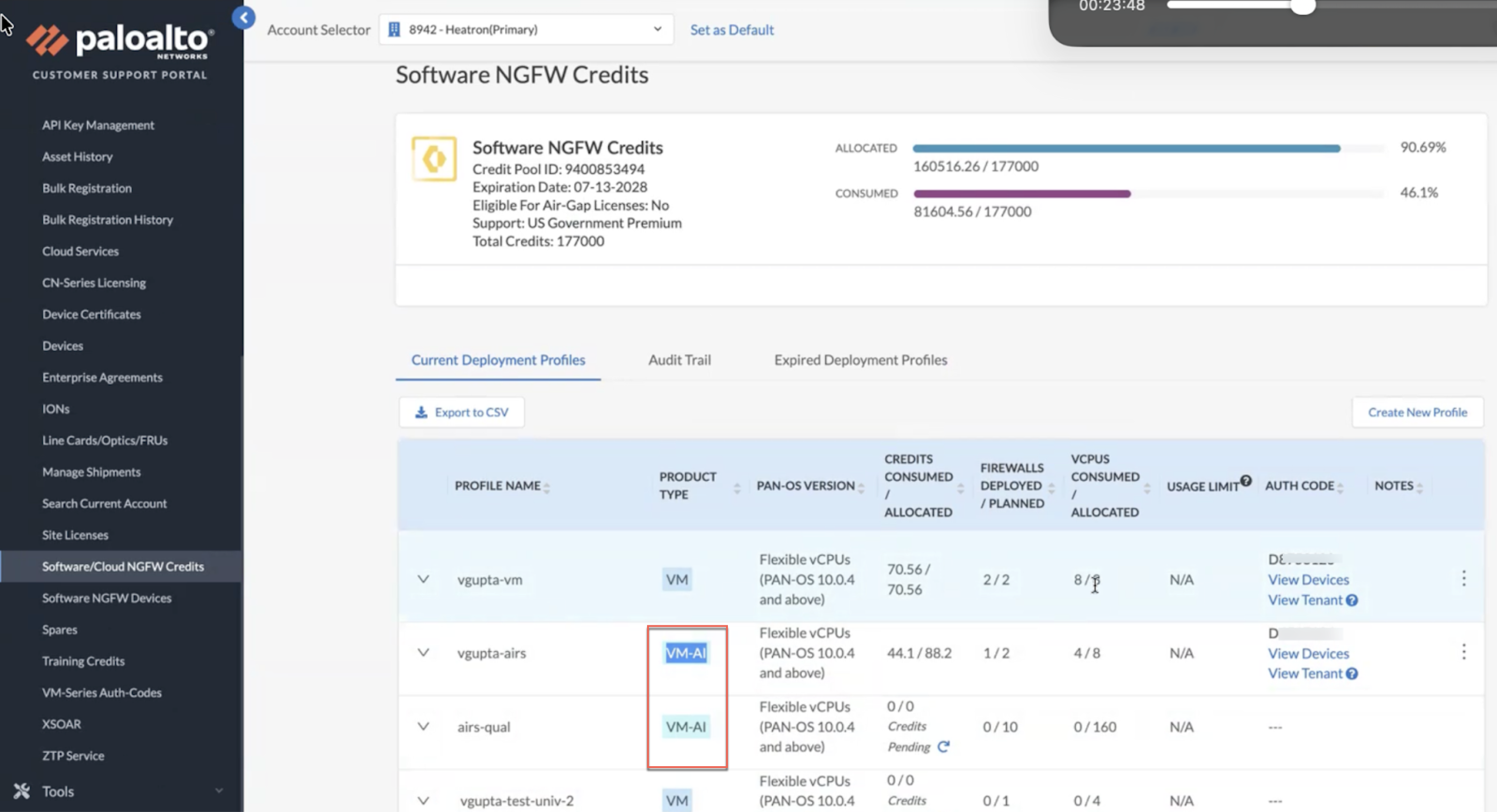
You can now simplify image management and increase operational flexibility by using a single PA-VM image for virtualized security. This image operates as either a VM-Series firewall or a Prisma AIRS™ instance, depending on the license you apply. By consolidating these functions, you eliminate the need to track and store multiple image types across your deployments. Upon deployment, the system automatically determines the operational mode by validating your specific license. This allows you to standardize your automation scripts and orchestration templates around one file.
To further streamline the portfolio, the legacy AI Runtime Security (Instance) profile has been deprecated. Profiles must now be selected from various Prisma AIRS profiles, VM-Series virtual firewalls, or CN-Series firewalls. You can also edit the existing profiles.
Beginning with PAN-OS 11.2.11 or PAN-OS 12.1.5, the Customer Support Portal (CSP) deprecates publishing any .aingfw images.