GlobalProtect
Configure a User-Initiated Remote Access VPN Configuration for Windows 10 UWP Endpoints Using Workspace ONE
Table of Contents

Configure a User-Initiated Remote Access VPN Configuration for Windows 10 UWP Endpoints Using Workspace ONE
In a remote access (On-Demand) VPN configuration,
users must manually launch the app to establish the secure GlobalProtect
connection. Traffic that matches specific filters (such as port
and IP address) configured on the GlobalProtect gateway is routed
through the VPN tunnel only after users initiate and establish the
connection.
Because Workspace ONE does not yet list GlobalProtect as an official connection provider for
Windows endpoints, you must select an alternate VPN provider, edit the settings
for the GlobalProtect app, and import the configuration back into the VPN
profile as described in the following workflow.
Use the following steps to configure a user-initiated remote access VPN configuration for Windows
10 UWP endpoints using Workspace ONE:
- Download the GlobalProtect app for Windows 10
UWP:
- Download the GlobalProtect app directly from the Microsoft Store.
- From the Workspace ONE console, modify an existing Windows 10 UWP profile add a
new one.
- Select , and then ADD a new profile.
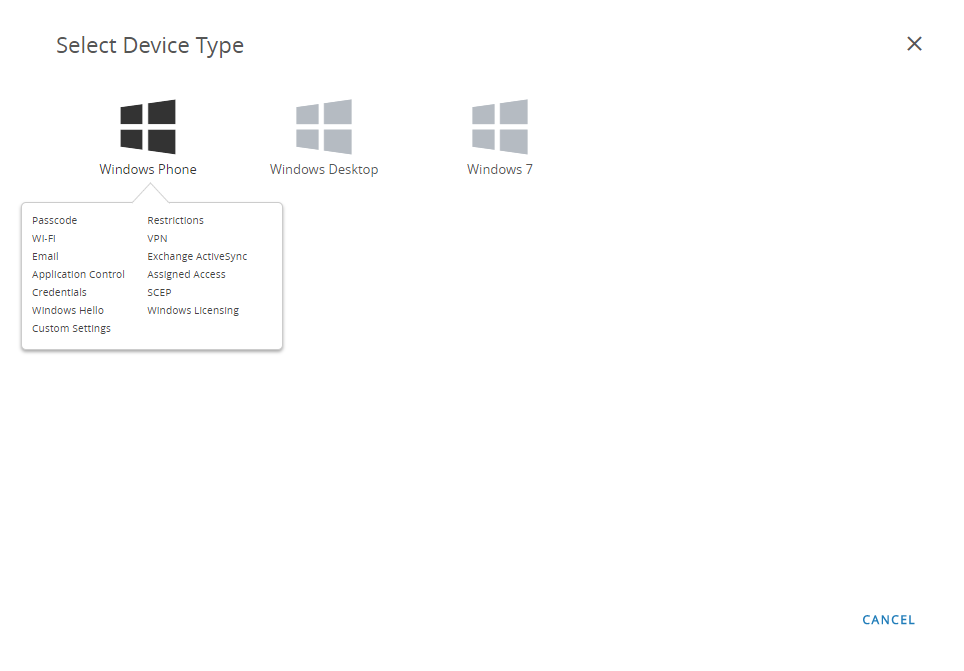
- Select Windows as the platform and
Windows Phone as the device type.
![]()
![]()
- Configure the General settings:
- Enter a Name for the profile.
- (Optional) Enter a brief Description of the profile that indicates its purpose.
- (Optional) Set the Deployment method to Managed to enable the profile to be removed automatically upon unenrollment
- (Optional) Select an Assignment Type to determine how the profile is deployed to endpoints. Select Auto to deploy the profile to all endpoints automatically, Optional to enable the end user to install the profile from the Self-Service Portal (SSP) or to manually deploy the profile to individual endpoints, or Compliance to deploy the profile when an end user violates a compliance policy applicable to the endpoint.
- (Optional) In the Managed By field, enter the Organization Group with administrative access to the profile.
- (Optional) In the Assigned Groups field, add the Smart Groups to which you want the profile added. This field includes an option to create a new Smart Group, which can be configured with specs for minimum OS, device models, ownership categories, organization groups, and more.
- (Optional) Indicate whether you want to include any Exclusions to the assignment of this profile. If you select Yes, the Excluded Groups field displays, enabling you to select the Smart Groups that you wish to exclude from the assignment of this profile.
- (Optional) If you Enable Scheduling and install only during selected time periods, you can apply a time schedule () to the profile installation, which limits the periods of time during which the profile can be installed on endpoints. When prompted, enter the schedule name in the Assigned Schedules field.
![]()
- (Optional) If your GlobalProtect deployment
requires client certificate authentication, configure the Credentials settings:
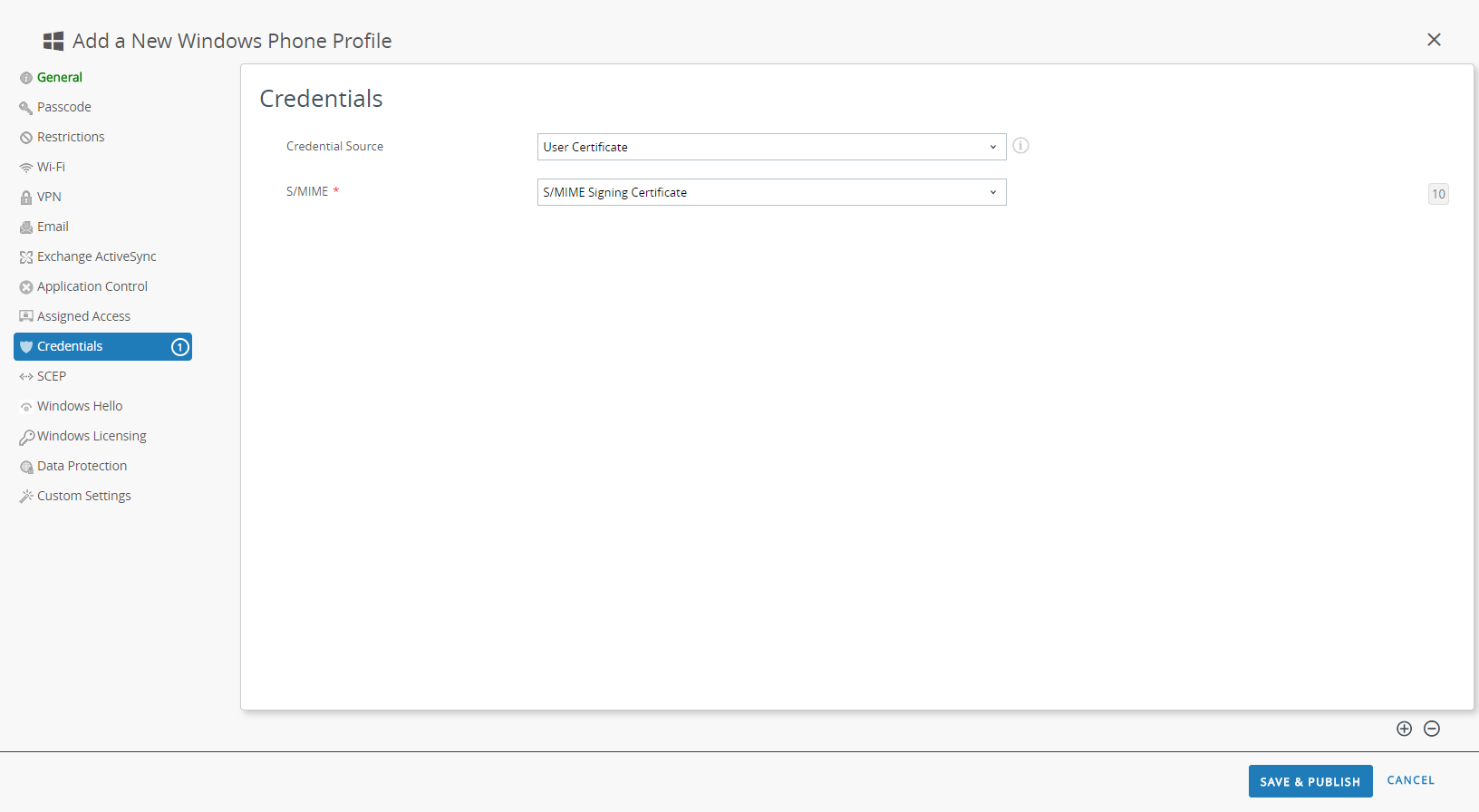
- To pull client certificates from Workspace ONE users:
- Set the Credential Source to User Certificate.
- Select the S/MIME Signing Certificate (default).
![]()
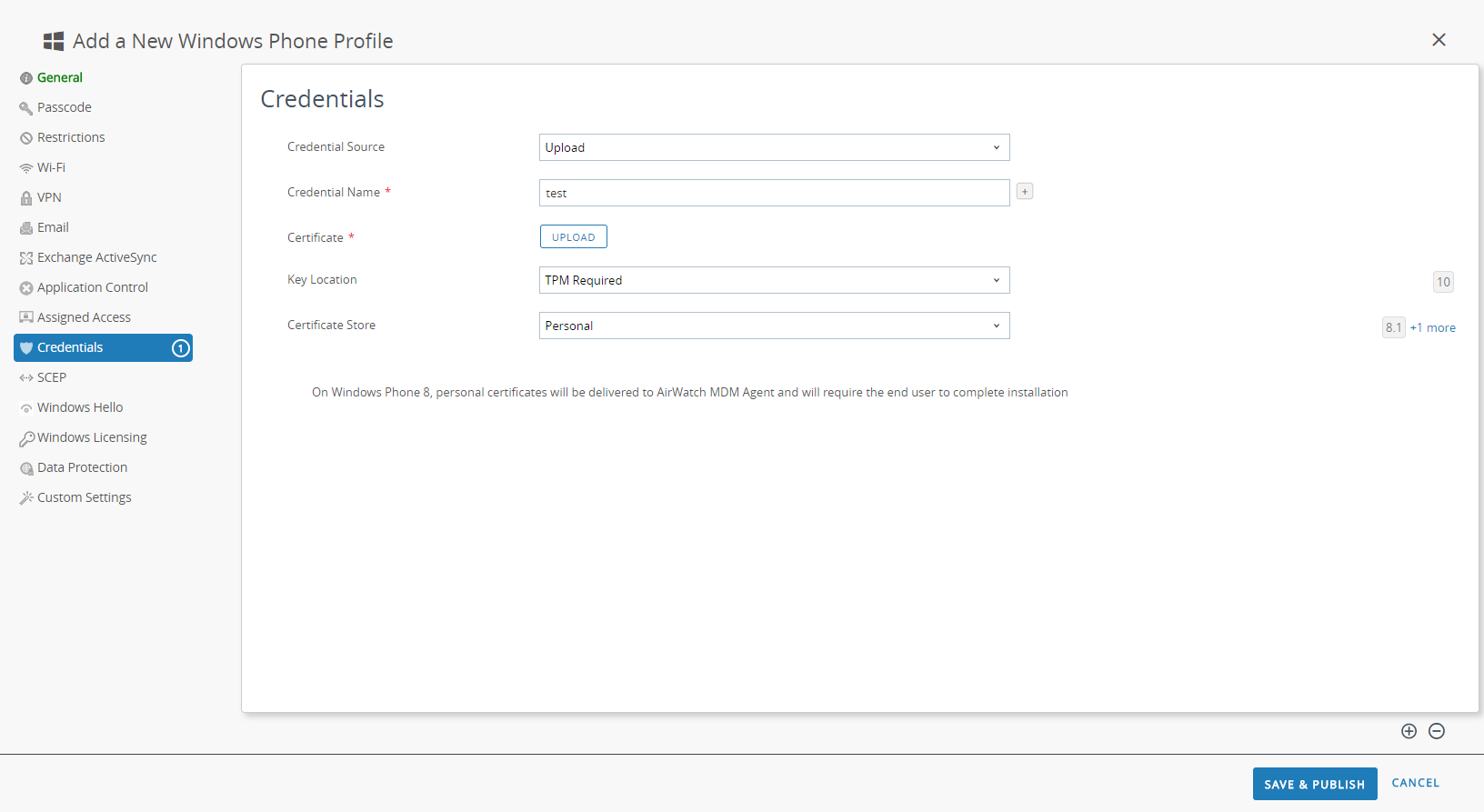
- To upload a client certificate manually:
- Set the Credential Source to Upload.
- Enter a Credential Name.
- Click UPLOAD to locate and select the certificate that you want to upload.
- After you select a certificate, click SAVE.
- Select the Key Location where you want to store the certificate’s private key:
- TPM Required—Store the private key on a Trusted Platform Module. If a Trusted Platform Module is not available on the endpoint, the private key cannot be installed.
- TPM If Present—Store the private key on a Trusted Platform Module if one is available on the endpoint. If a Trusted Platform Module is not available on the endpoint, the private key is stored in the endpoint software.
- Software—Store the private key in the endpoint software.
- Passport—Save the private key to Microsoft Passport. To use this option, Workspace ONE Protection Agent must be installed on the endpoint.
- Set the Certificate Store to Personal.
![]()
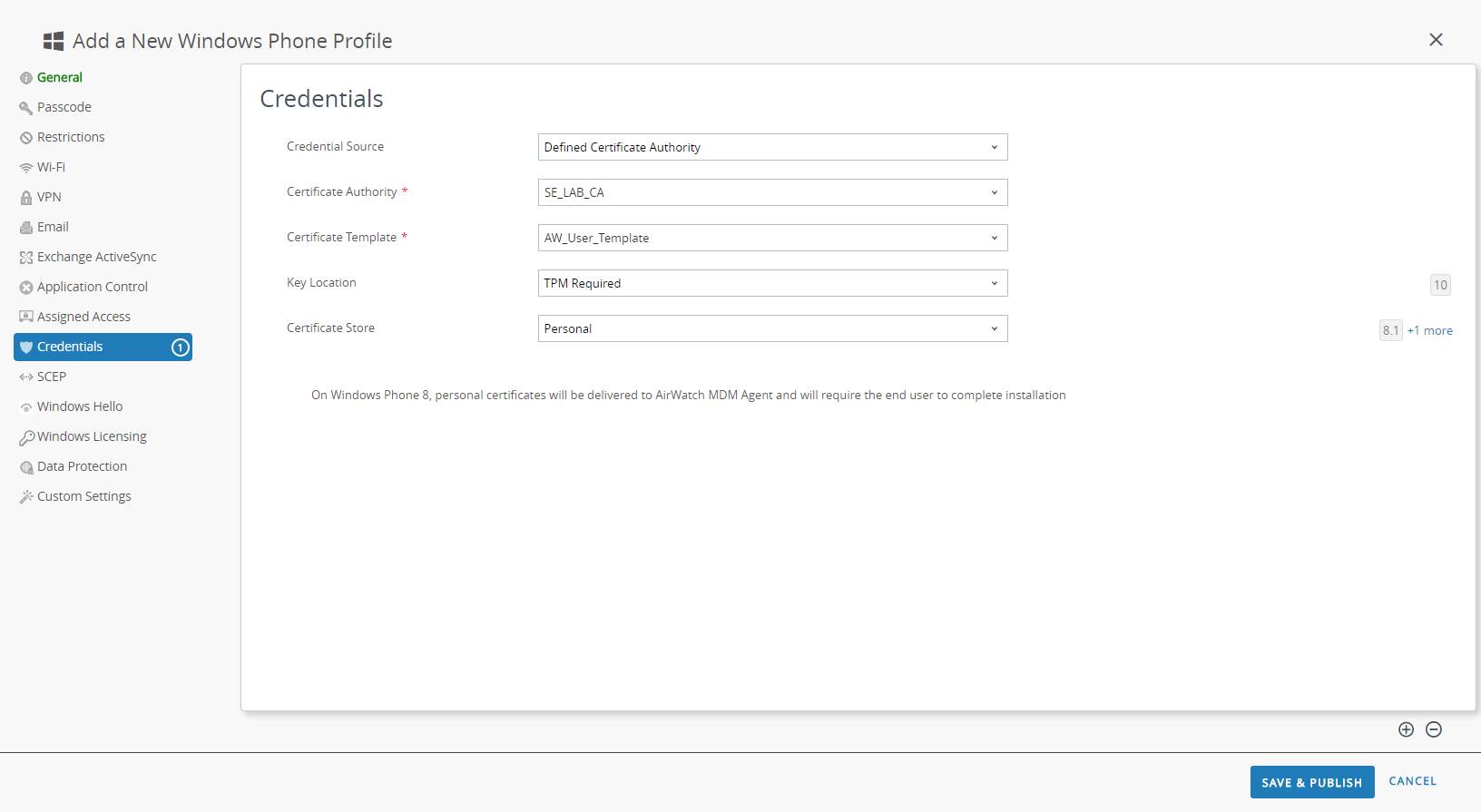
- To use a predefined certificate authority and template:
- Set the Credential Source to Defined Certificate Authority.
- Select the Certificate Authority from which you want obtain certificates.
- Select the Certificate Template for the certificate authority.
- Select the Key Location where you want to store the certificate’s private key:
- TPM Required—Store the private key on a Trusted Platform Module. If a Trusted Platform Module is not available on the endpoint, the private key cannot be installed.
- TPM If Present—Store the private key on a Trusted Platform Module if one is available on the endpoint. If a Trusted Platform Module is not available on the endpoint, the private key is stored in the endpoint software.
- Software—Store the private key in the endpoint software.
- Passport—Save the private key to Microsoft Passport. To use this option, Workspace ONE Protection Agent must be installed on the endpoint.
- Set the Certificate Store to Personal.
![]()
- Configure the VPN settings:
- Enter the Connection Name that the endpoint displays.
- Select an alternate Connection Type provider (do not select IKEv2, L2TP, PPTP, or Automatic, as these do not have the associated vendor settings required for the GlobalProtect VPN profile).You must select an alternate vendor because Workspace ONE has not yet listed GlobalProtect as an official connection provider for Windows endpoints.
- In the Server field, enter the hostname or IP address of the GlobalProtect portal to which users connect.
- In the Authentication area, select an Authentication Type to specify the method to authenticate end users.
![]()
- (Optional) To permit GlobalProtect to save user credentials, ENABLE the option to Remember Credentials in the Policies area.
- (Optional) In the VPN Traffic Rules area, ADD NEW DEVICE WIDE VPN RULE to send traffic matching a specific route through the VPN tunnel. These rules are not bound by application but are evaluated across the endpoint. If the traffic matches the specified match criteria, it is routed through the VPN tunnel.Add match criteria by clicking ADD NEW FILTER. When prompted, enter a Filter Type and corresponding Filter Value.
![]()
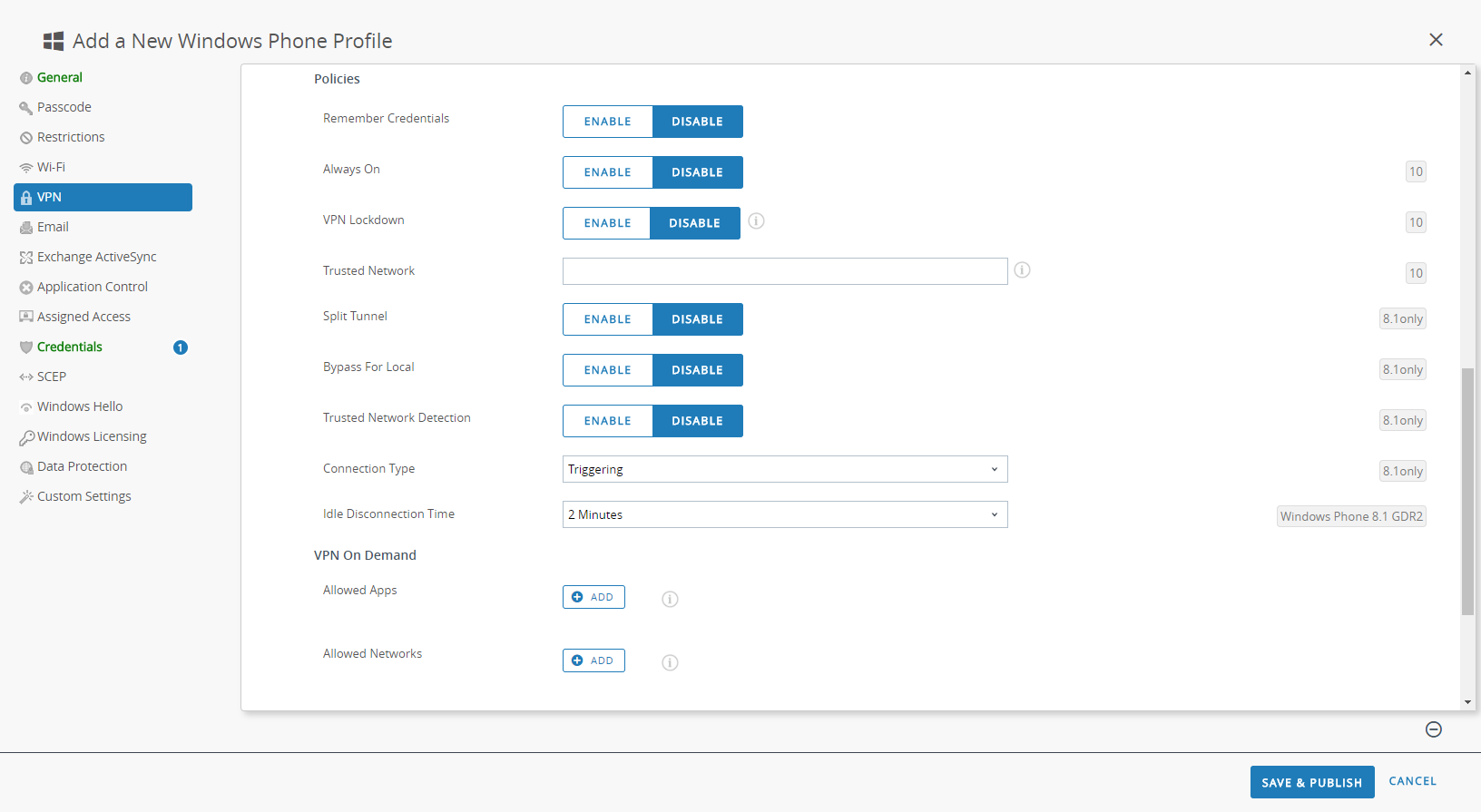
- To ensure that this profile uses the On-Demand connect method, configure the following settings in the Policies area:
- DISABLE Always On. If this field is ENABLED, the secure connection is always on.
- DISABLE VPN Lockdown. If this field is ENABLED, the secure connection is always on and connected, and network access is disabled when the app is not connected. The VPN Lockdown option in Workspace ONE is similar to the Enforce GlobalProtect for Network Access option that you would configure in a GlobalProtect portal configuration.
![]()
- SAVE & PUBLISH your changes.
- To set the connection type provider to GlobalProtect,
edit the VPN profile in XML.To minimize additional edits in the raw XML, review the settings in your VPN profile before you export the configuration. If you need to change a setting after you export the VPN profile, you can make the changes in the raw XML or, you can update the setting in the VPN profile and perform this step again.
- In the , select the radio button next to the new profile you added in the previous steps, and then select </>XML at the top of the table. Workspace ONE opens the XML view of the profile.
- Export the profile and then open it in a text editor of your choice.
- Edit the following settings for GlobalProtect:
- In the LoclURI element that specifies the PluginPackageFamilyName, change the element to:<LocURI>./Vendor/MSFT/VPNv2/PaloAltoNetworks/PluginProfile/PluginPackageFamilyName</LocURI>
- In the Data element that follows, change the value to:<Data>PaloAltoNetworks.GlobalProtect_rn9aeerfb38dg</Data>
- Save your changes to the exported profile.
- Return to Workspace ONE and select .
- Create (select ) and name a new profile.
- Select , and then copy and paste the edited configuration.
- Save & Publish your changes.
- Clean up the original profile by selecting the original profile from , and then selecting . Workspace ONE moves the profile to the Inactive list.
- Test the configuration.