Monitor Configuration Size
Table of Contents

Monitor Configuration Size
Track the total configuration size as part of your regular system health checks.
| Where Can I Use This? | What Do I Need? |
|---|---|
|
No prerequisites needed
|
(PAN-OS 11.1 and later releases) You can track the total
configuration size as part of your regular system health checks.
- View Configuration Size on the Dashboard.
- Log in to the Panorama web interface.In the Dashboard, locate the System Resources section.The percentage comparison of the current configuration size against the maximum supported limit appears.
![]() Drill Down into Configuration Components.
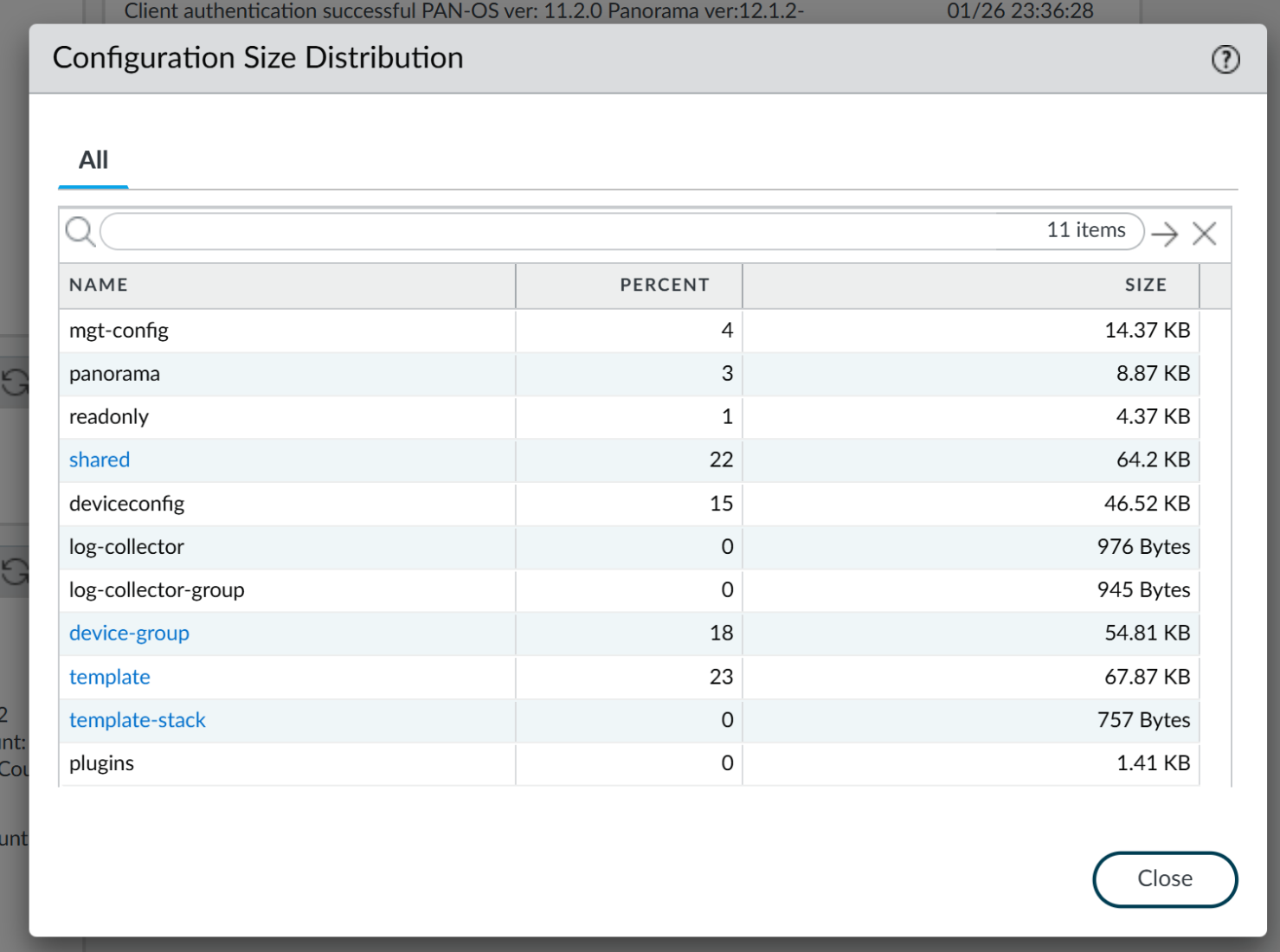
Drill Down into Configuration Components.- Select , and click the Configuration Size link.The Configuration Size Distribution window provides a detailed breakdown of your configuration by listing all components and their respective sizes. This helps you determine exactly which device groups or templates constitute the majority of the configuration.
![]() Review post-commit impact.
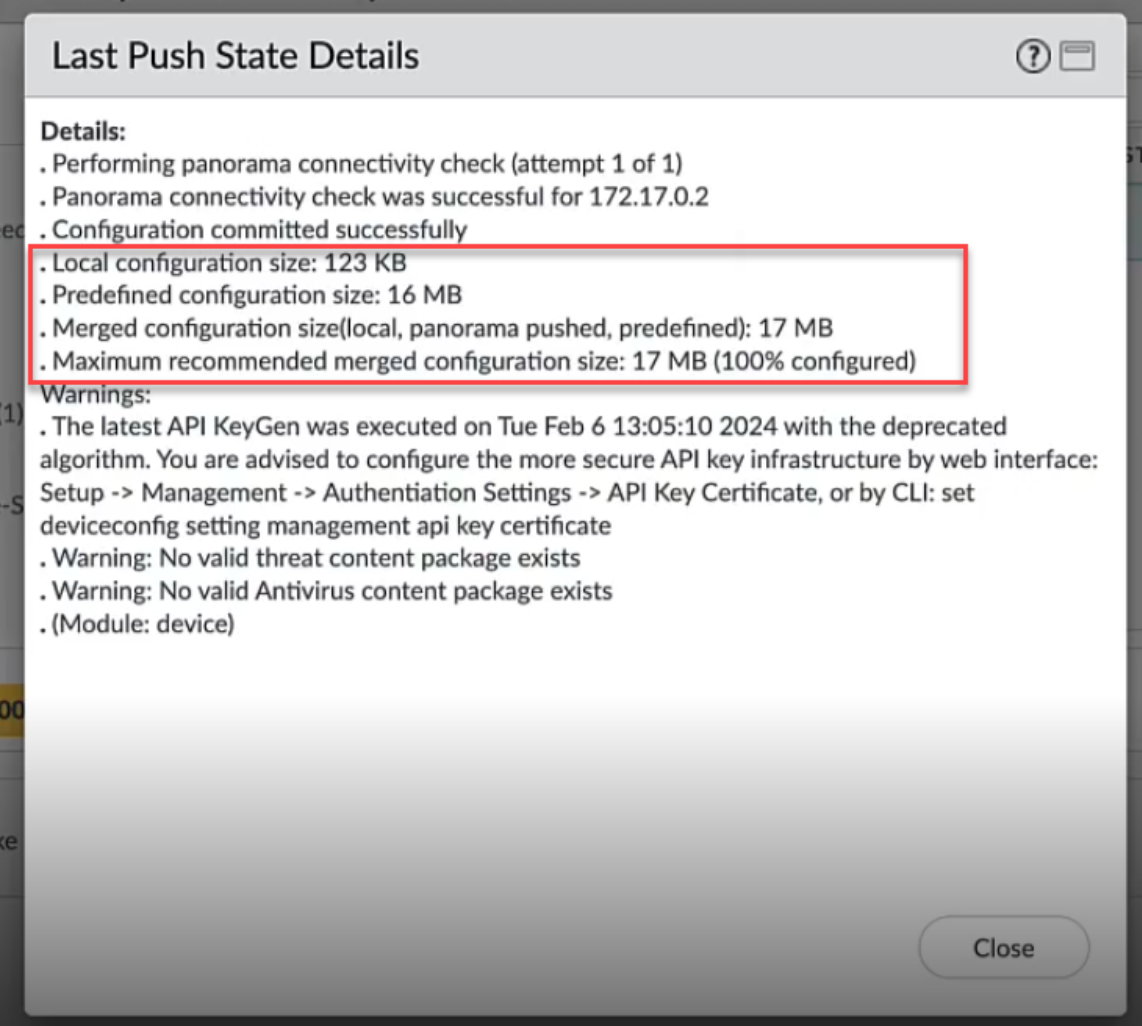
Review post-commit impact.- Perform a configuration change and initiate a Commit.Wait for the commit to complete successfully.Review the latest push details.You can view the impact of the specific change on the configuration size.
![]() The following screenshot is specific to the Commit-All or Push operations; ensure you select the correct scope before finalizing.
The following screenshot is specific to the Commit-All or Push operations; ensure you select the correct scope before finalizing.Operational Commands
Use the following CLI commands to retrieve detailed size metrics:- show management-server candidate config-size: Displays the size of the current candidate configuration.
- show management-server last-committed config-size: Displays the size of the running configuration.
- show config size distribution: Provides a percentage and megabyte breakdown of configuration nodes for remediation.
The low-end firewalls are equipped with configuration file size capacity of 25–30 MB. The pre-defined configurations occupy approximately 75% of this available space. Upon installing standard content updates, the device reaches near-maximum capacity.If you are experiencing errors identify and manage unused shared objects.