Generate an Upgrade Check Report During an Upgrade
Table of Contents

Generate an Upgrade Check Report During an Upgrade
Generate an upgrade check report during the upgrade process.
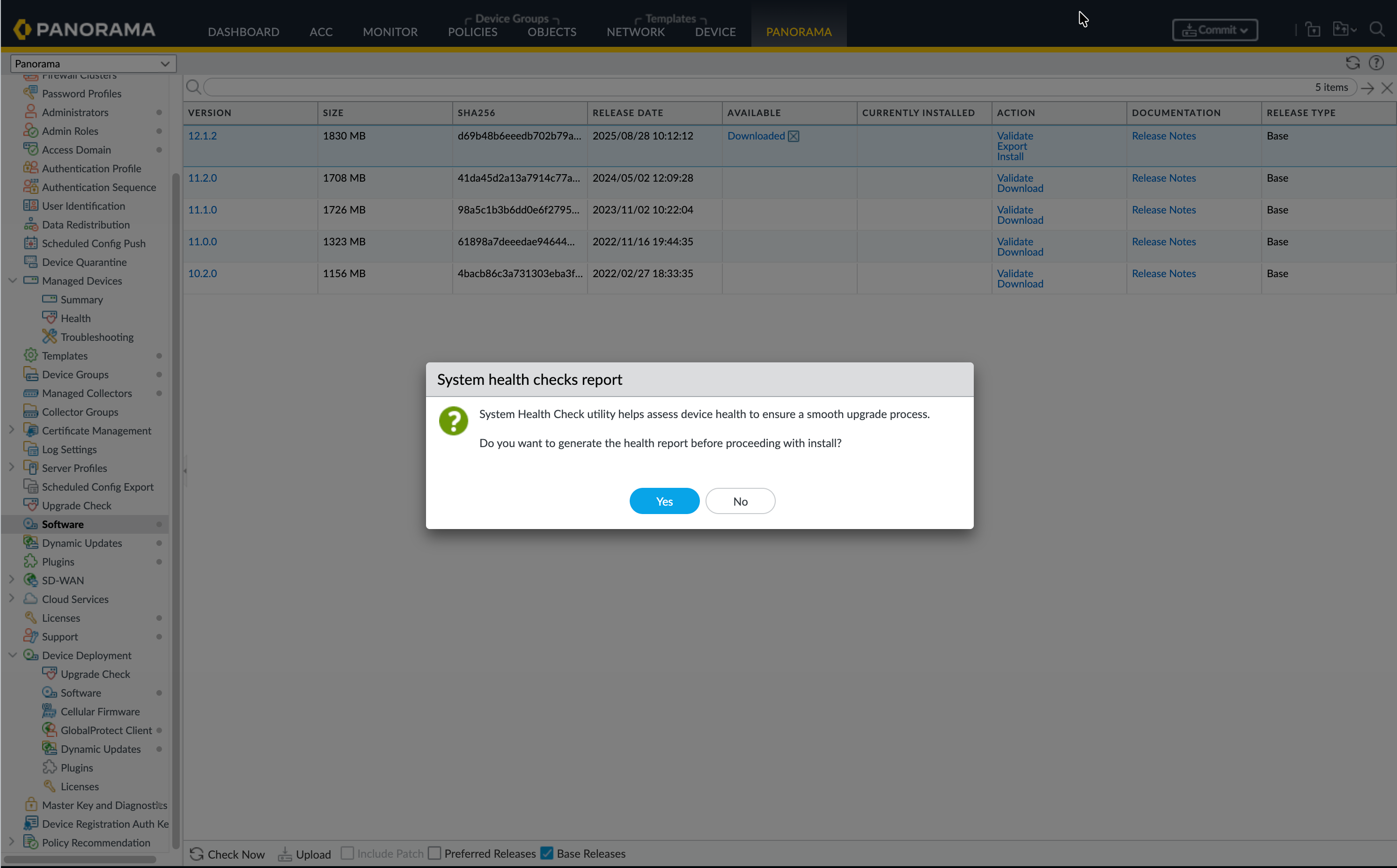
- Navigate to .Install the software image.Click Generate Report.
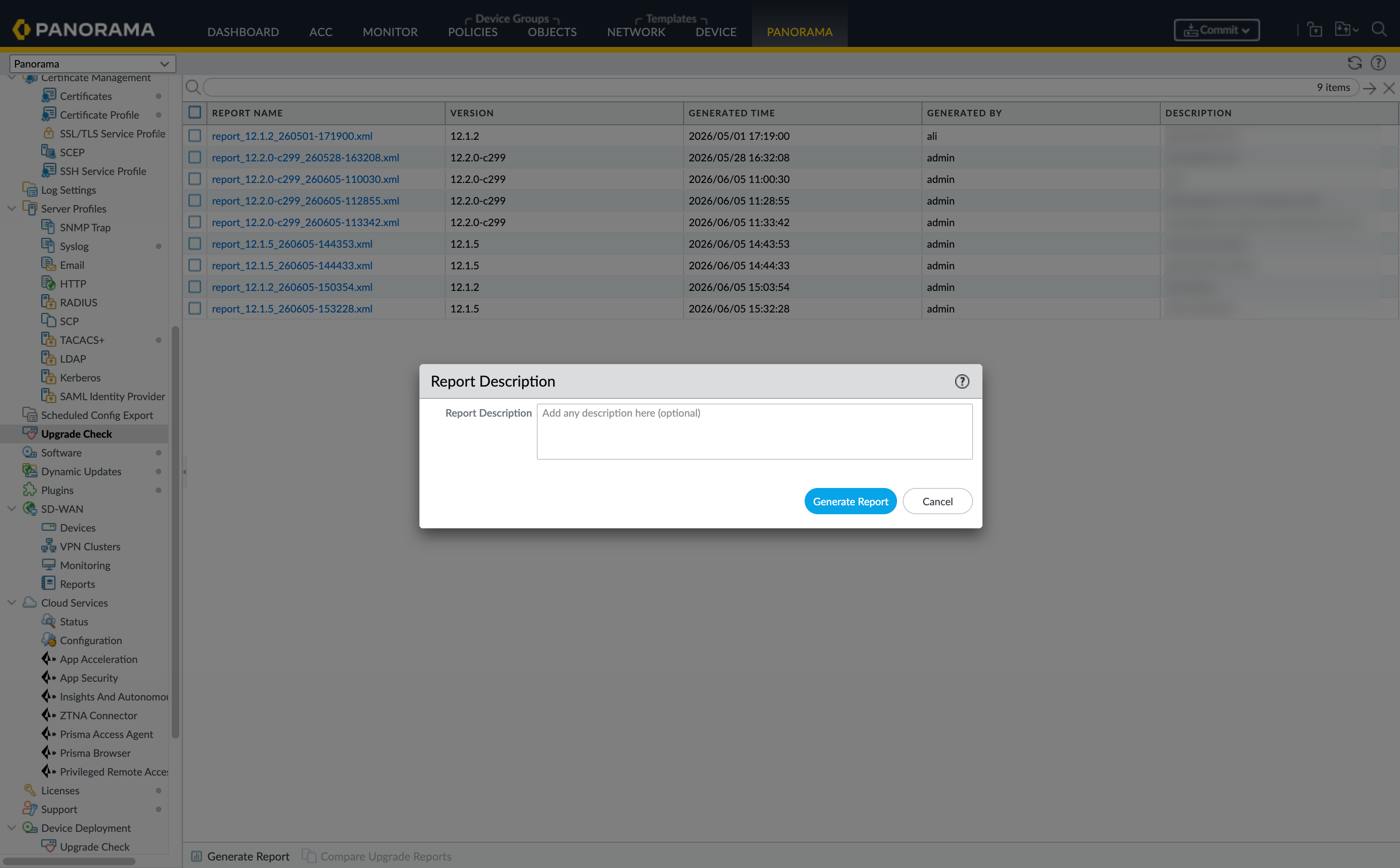
![]() Add a Report Description and click Generate Report.Describe whether the report is being generated before an upgrade or after an upgrade, and any remediation that has been made.
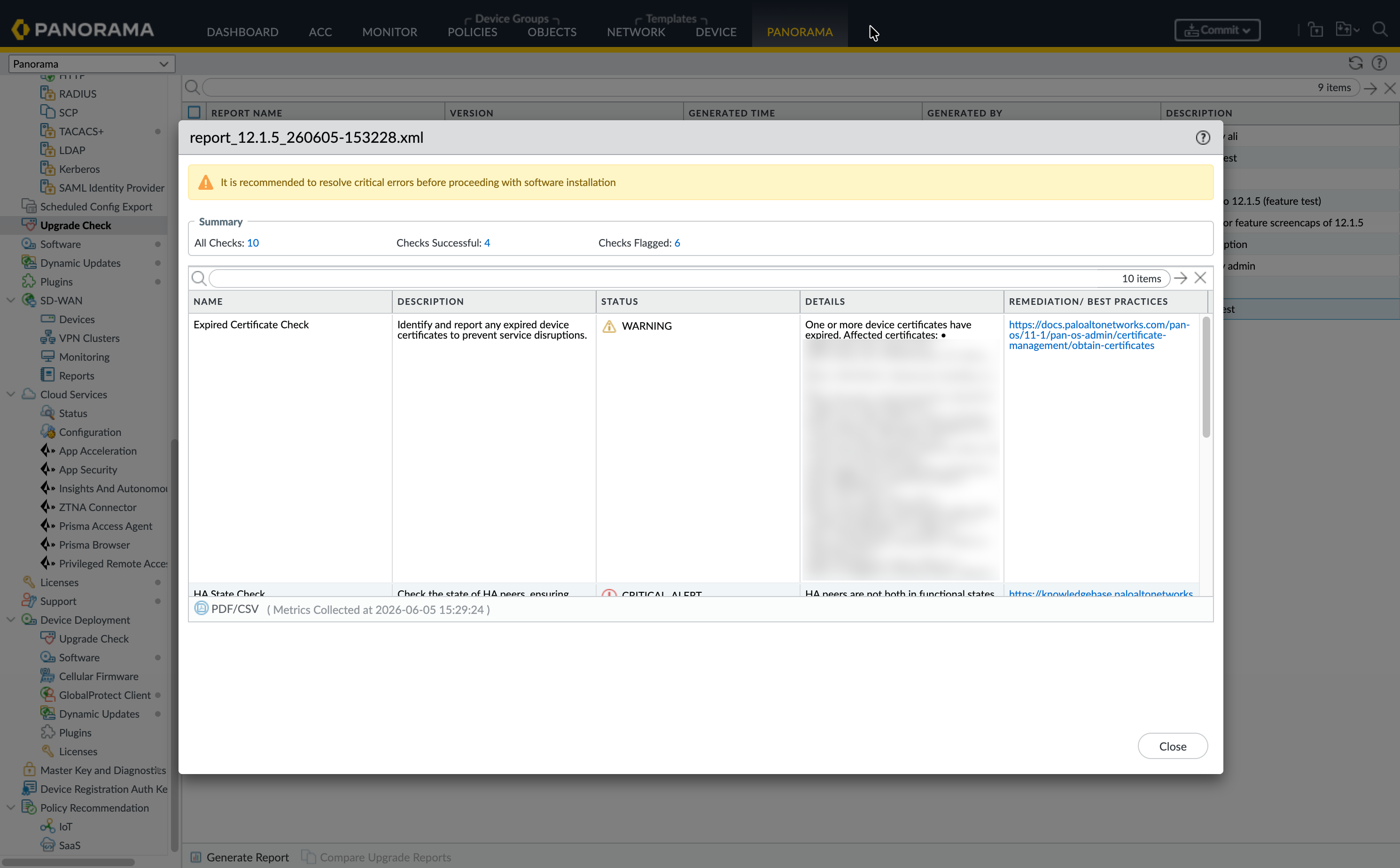
Add a Report Description and click Generate Report.Describe whether the report is being generated before an upgrade or after an upgrade, and any remediation that has been made.![]() If a check status is Warning or Critical_ALERT, remediate the issue.
If a check status is Warning or Critical_ALERT, remediate the issue.![]() If no remediation is needed, click Start Install.After the install is completed, navigate to Panorama > Upgrade Check, generate a post-install report, and add a description.
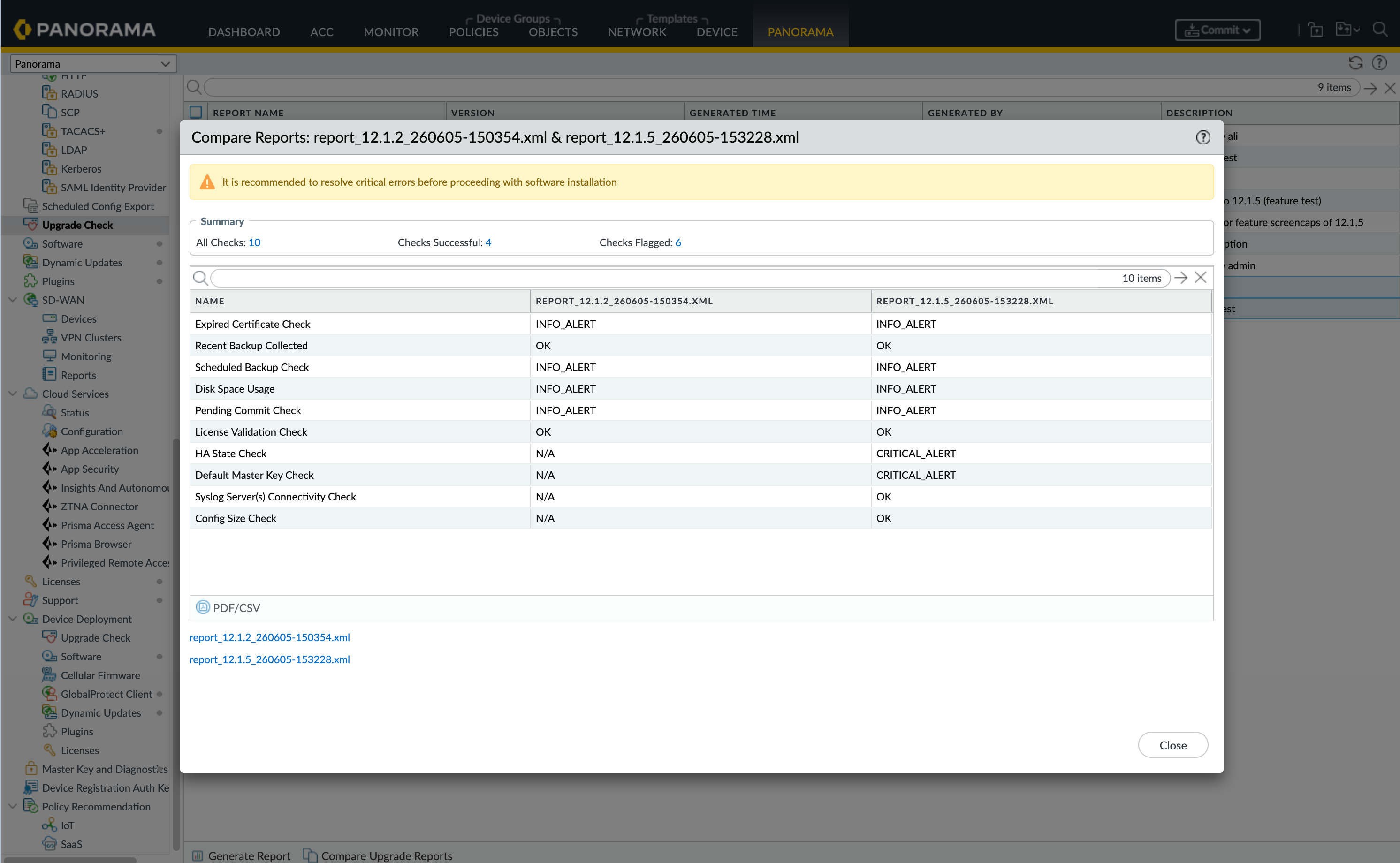
If no remediation is needed, click Start Install.After the install is completed, navigate to Panorama > Upgrade Check, generate a post-install report, and add a description.![]() Select the pre-install and post-install reports and click Compare Reports.
Select the pre-install and post-install reports and click Compare Reports.![]() (Optional) Download PDF/CSV to retain a copy of the report.
(Optional) Download PDF/CSV to retain a copy of the report.