Configure Custom SAML Role Mapping
Table of Contents

Configure Custom SAML Role Mapping
Learn how to configure custom SAML role mapping to map third-party identity provider
attribute values to Strata Cloud Manager roles.
- You must have an identity federation configured and enabled.
- You must have mapped the relevant tenants for authorization.
Custom SAML role mapping will enable customers to assign Strata Cloud Manager roles to
users based on attribute values from your third-party identity provider, such as
group membership, or memberOf attributes. Instead of configuring
Strata Cloud Manager-specific access policy values in your third-party identity
provider, you define the mapping directly within Strata Cloud Manager. When users
authenticate, Strata Cloud Manager evaluates the SAML attribute values in their
assertion and automatically assigns the corresponding roles.
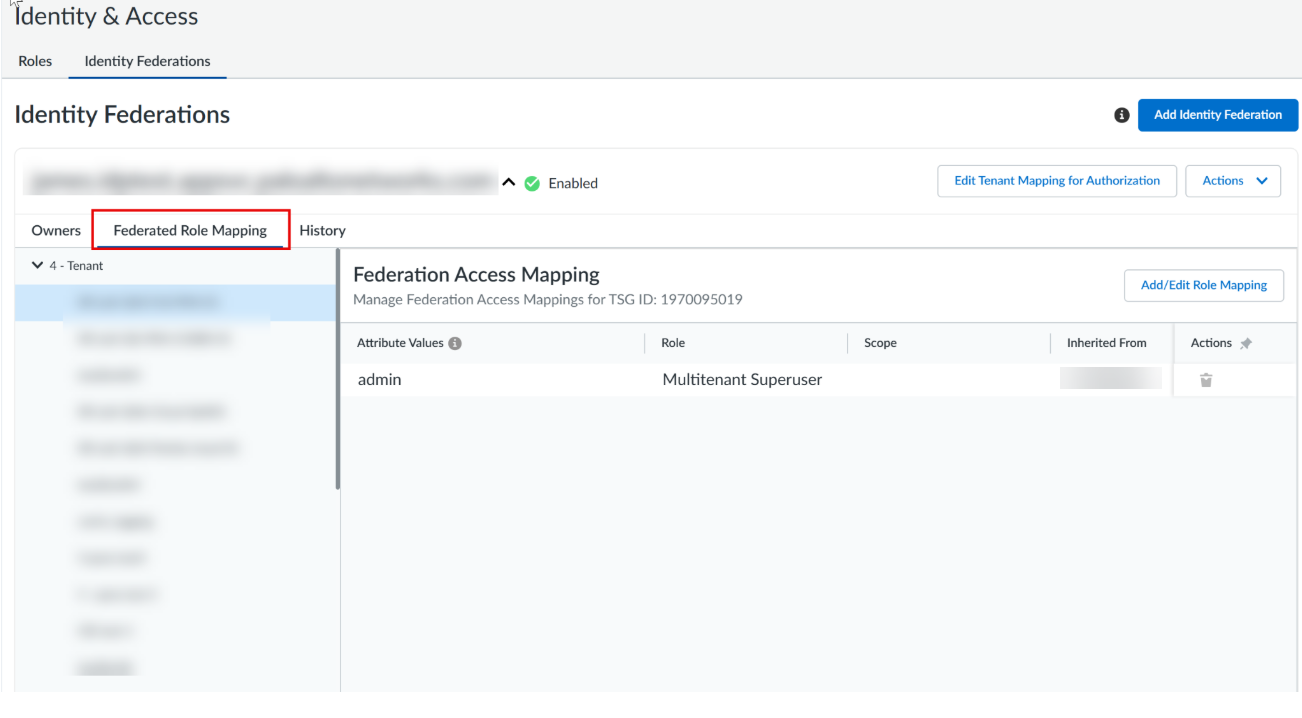
- Select .
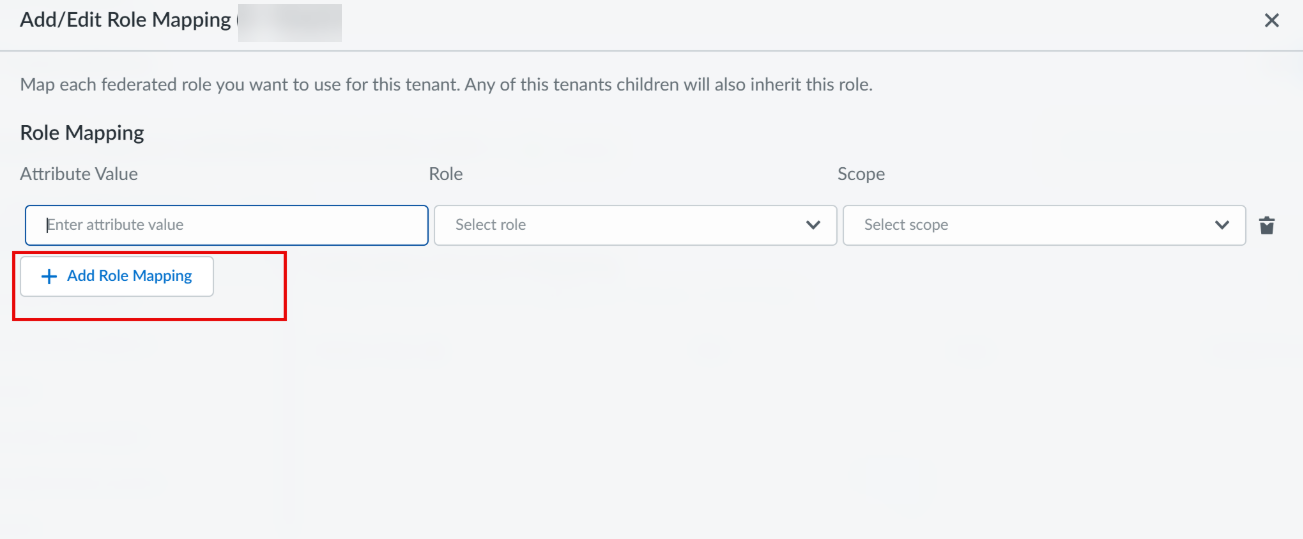
![]() Select the tenant where you want to configure role mapping.Only those tenants that are mapped to Identity Federation for authorization will show up in the drop-down.Select Add Role Mapping.
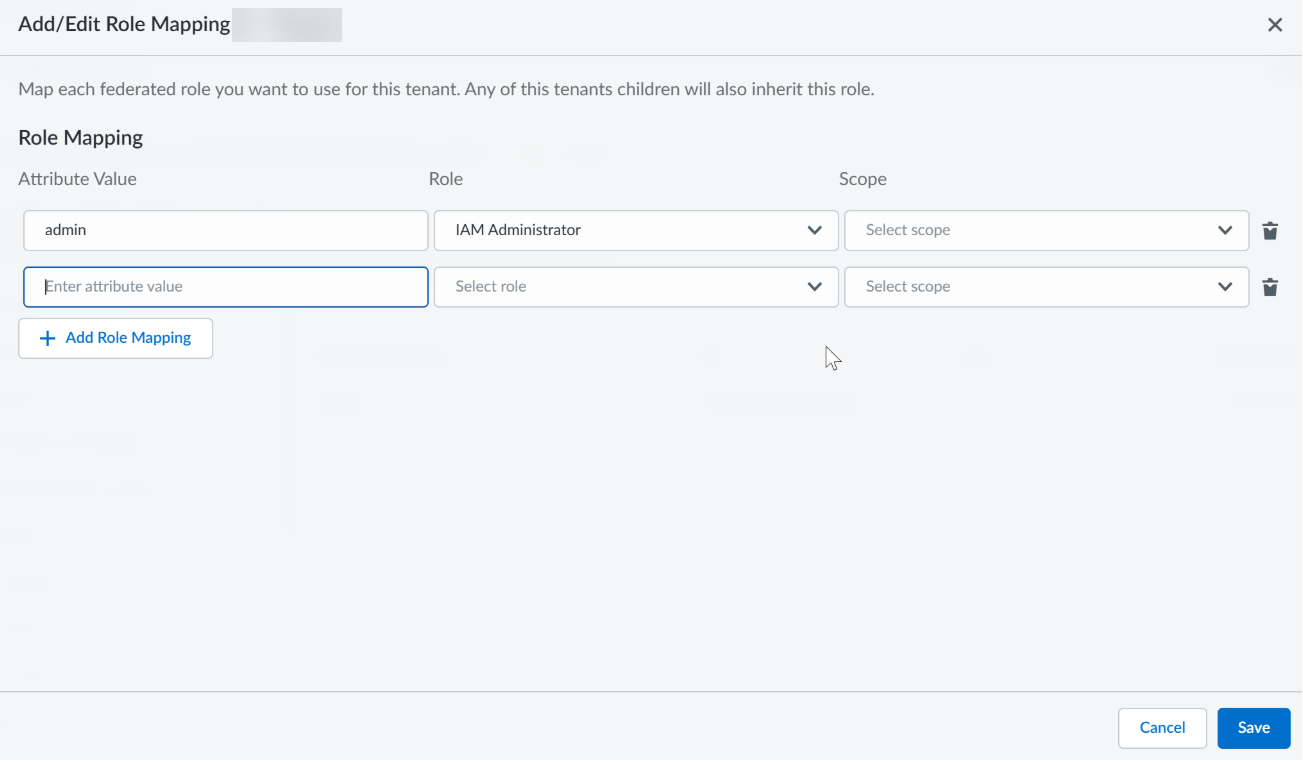
Select the tenant where you want to configure role mapping.Only those tenants that are mapped to Identity Federation for authorization will show up in the drop-down.Select Add Role Mapping.![]() In the Attribute Value field, enter the value from your third-party identity provider that identifies the users to whom the role mapping applies.This value corresponds to a role or group name provided by your third-party identity provider through any of the supported SAML attributes: memberOf, strataCloudManagerRoles, or groups. When determining the roles to grant a user, Strata Cloud Manager evaluates the combined set of values from all three attributes (set union). For example, if your identity provider assigns users to a group named NetworkAdmins through any of these attributes, enter NetworkAdmins.Select the Role to assign to users whose SAML assertion contains the matching attribute value.Select the scope that defines where the role applies within your tenant hierarchy.Select Save.
In the Attribute Value field, enter the value from your third-party identity provider that identifies the users to whom the role mapping applies.This value corresponds to a role or group name provided by your third-party identity provider through any of the supported SAML attributes: memberOf, strataCloudManagerRoles, or groups. When determining the roles to grant a user, Strata Cloud Manager evaluates the combined set of values from all three attributes (set union). For example, if your identity provider assigns users to a group named NetworkAdmins through any of these attributes, enter NetworkAdmins.Select the Role to assign to users whose SAML assertion contains the matching attribute value.Select the scope that defines where the role applies within your tenant hierarchy.Select Save.![]() Users who authenticate with a matching attribute value in their SAML assertion automatically receive the assigned role and scope when they access Strata Cloud Manager.
Users who authenticate with a matching attribute value in their SAML assertion automatically receive the assigned role and scope when they access Strata Cloud Manager.