Focus
Focus
Table of Contents

OCI

Enhance identity management in SCM with an advanced SCIM integration for OCI, automating user and group provisioning.
This procedure outlines the steps to configure SCIM-based user and group provisioning between OCI and Strata Cloud Manager. By automating identity and access management, you can enhance security and improve operational efficiency within your Strata Cloud Manager environment. Follow these steps to set up the integration:
  1. Set up Strata Cloud Manager to use SCIM-based provisioning for identity access management.
    1. Create a TSG.
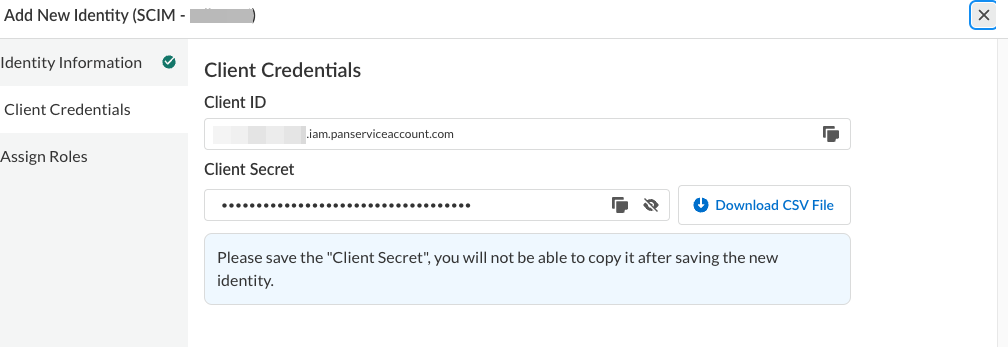
    2. Create a Service Account with a Superuser role inside the TSG you created.
      Save the client credentials for later use.
        Image6
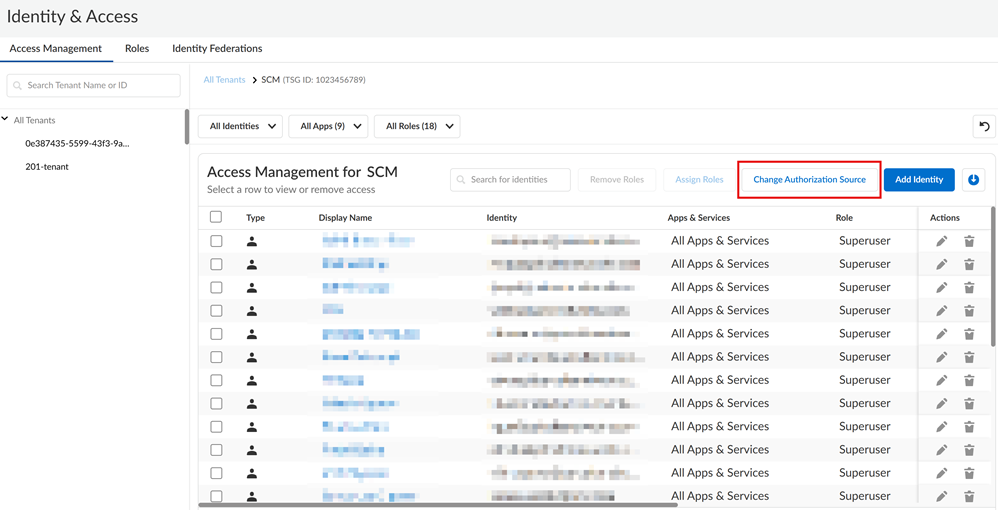
    3. Click Change Authorization Source.
        Image8
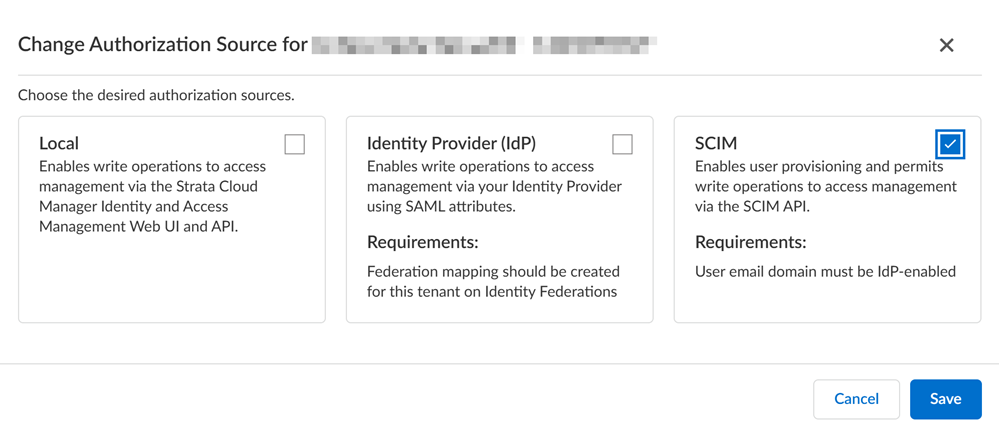
    4. Enable SCIM and then Save to apply your changes.
        Image5
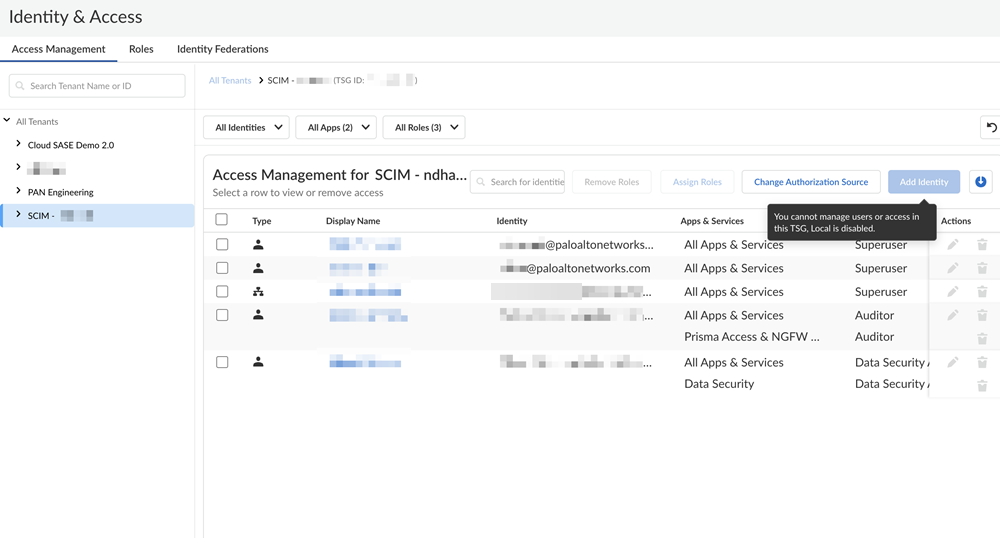
      After SCIM integration is enabled for Strata Cloud Manager, all access management changes are permitted only through the configured third-party IdP using the SCIM protocol.
        Image4
  2. Configure OCI to provision users and groups to Strata Cloud Manager using the integrated application in OCI to connect with Strata Cloud Manager.
    For the most up-to-date instructions on configuring SCIM provisioning in OCI, refer to the OCI documentation.
    1. Log in to Oracle Cloud Infrastructure (OCI).
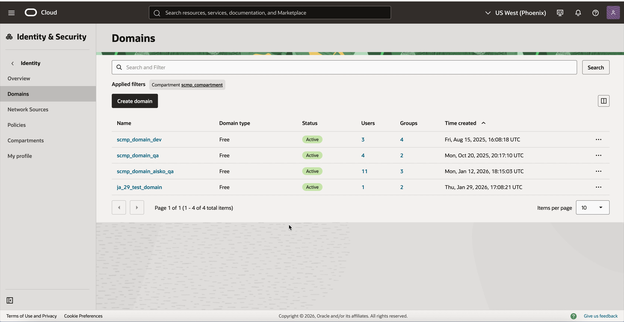
    2. Select Identity & SecurityDomains and then select your domain where your users and groups reside.

        The OCI \
    3. Select Integrated applicationsAdd ApplicationApplication Catalog.
    4. Search and select the appropriate application template, for example, a custom SCIM application or a generic enterprise application.
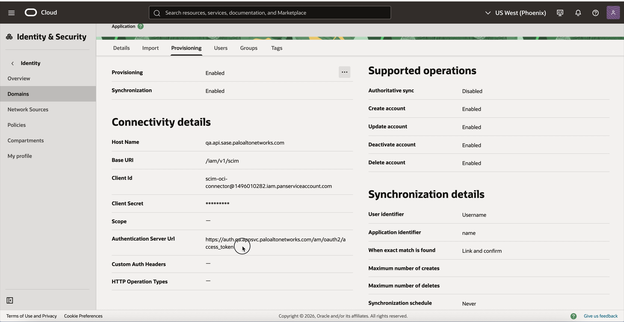
    5. Configure the provisioning settings for the application.
      • Select the provisioning method as Client Credentials.
      • Specify:
        • Host Name - Your Strata Cloud Manager API endpoint.
        • Base URL - Specify /iam/v1/scim.
        • Client ID - The service account ID obtained from Strata Cloud Manager (see STEP 1.ii).
        • Client Secret - The bearer token generated for the service account in Strata Cloud Manager (see STEP 1.ii).
        • Authentication Server URL - Your Strata Cloud Manager authentication endpoint (https://auth.paloaltonetworks.com/am/oauth2/access_token).
        Configuring the connectivity details for the SCIM application in OCI.
    6. Test Connectivity to verify that OCI can successfully establish a connection and authenticate with the Strata Cloud Manager SCIM endpoint.
    7. Select Refresh Application Data to retrieve available Strata Cloud Manager access policies (roles or groups) from Strata Cloud Manager.
    8. Select ImportRun Import to import existing users and groups from Strata Cloud Manager into OCI.
    9. Assign Users and Access Policies in OCI for Strata Cloud Manager Synchronization.
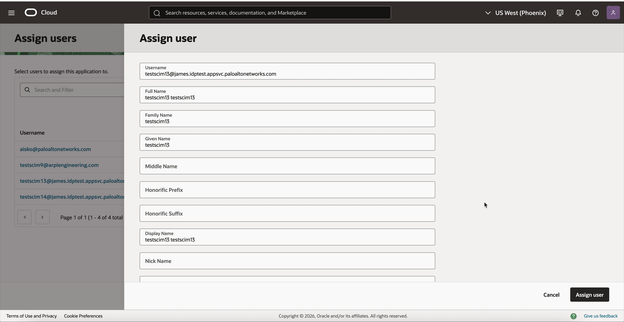
      1. Select UsersAssign Users and then select the user or users you wish to provision to Strata Cloud Manager.
          Selecting a user to assign to the SCIM application in OCI.
        Figure 6: Selecting a user to assign to the SCIM application in OCI.
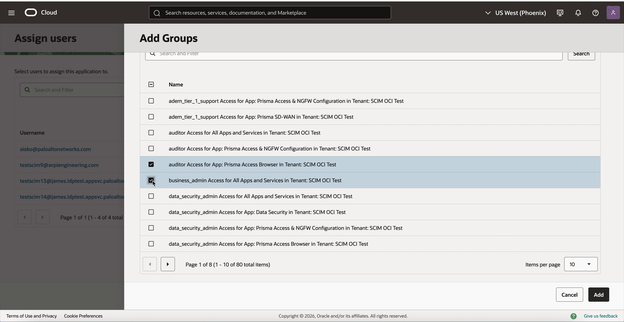
      2. In the assignment details, select Groups and select the Strata Cloud Manager access policies you want to apply to these users.
          Adding SCM access policies (groups) to a user in OCI.
      3. Assign Users to apply the associated Strata Cloud Manager access policies to the user.
        Note: Ensure that these users email domains are verified by the Strata Cloud Manager Identity Federation.
  3. Verify user provisioning in Strata Cloud Manager.
    1. Log in to Strata Cloud Manager.
    2. Navigate to Identity & Access ManagementUsers.
    3. Search for the user provisioned in the previous step.
    4. Verify that the user account exists and has the correct group assignments.