Sailpoint
Table of Contents

Sailpoint
Contains instructions to setup sailpoint SCIM.
- Set up Strata Cloud Manager to use a SCIM to manage identity access.
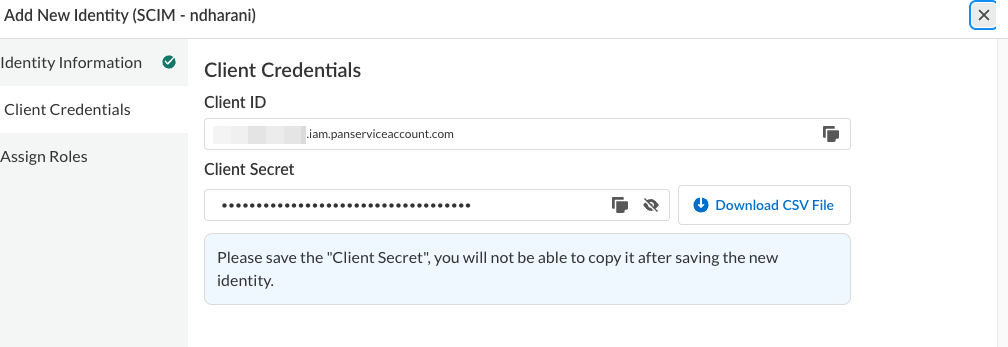
- Create a TSG (Tenant Service Group).Create a Service Account with a Superuser role inside the TSG you created.Record the client credentials for later use.
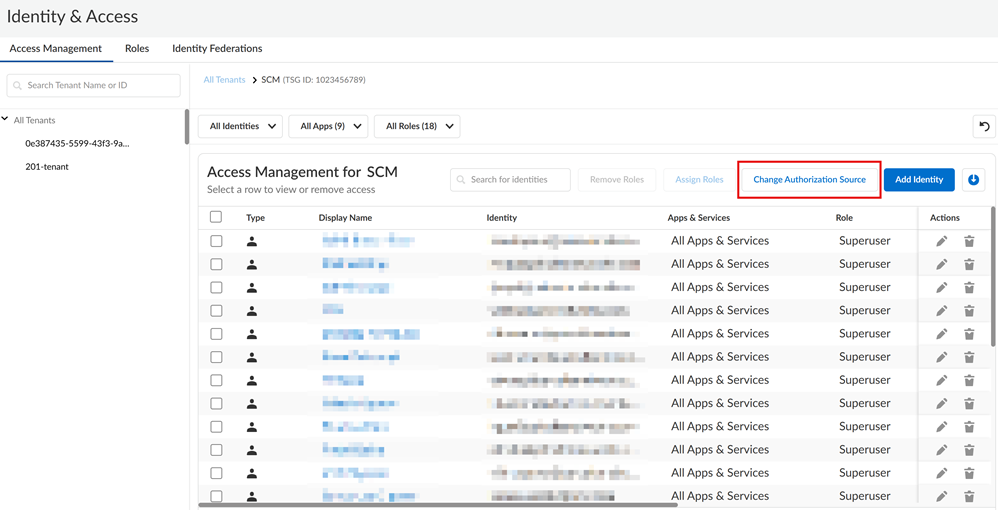
![]() Click Change Authorization Source.
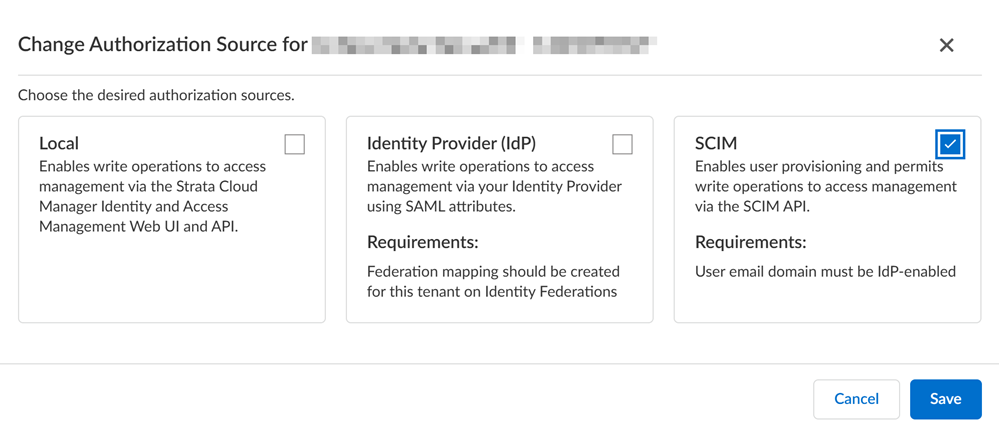
Click Change Authorization Source.![]() Enable SCIM and then Save to apply your changes.
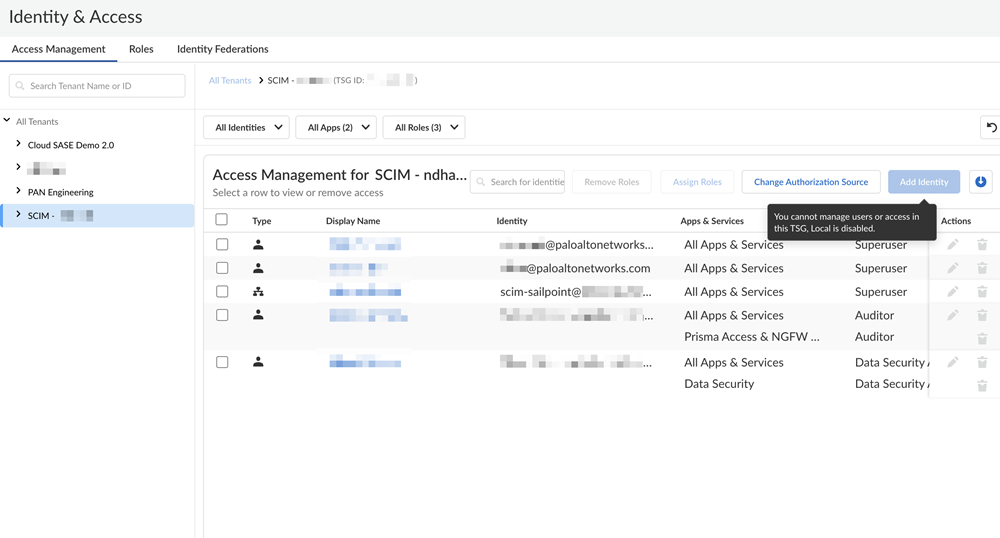
Enable SCIM and then Save to apply your changes.![]() After the SCIM integration is enabled for Strata Cloud Manager, all access management changes will only be allowed through the SCIM provider.
After the SCIM integration is enabled for Strata Cloud Manager, all access management changes will only be allowed through the SCIM provider.![]() Set up the SCIM to manage access for Strata Cloud Manager.For the most up-to-date instructions on managing a SCIM Connector, see the SailPoint documentation.
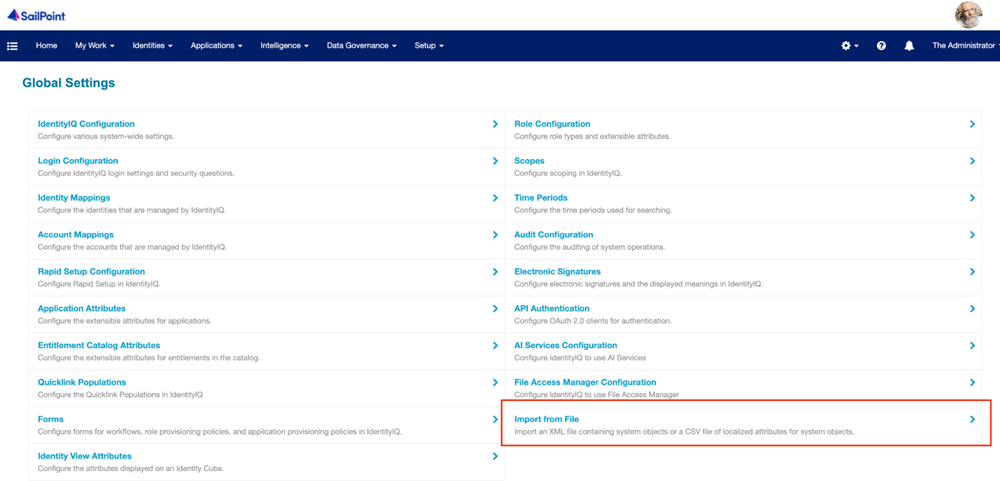
Set up the SCIM to manage access for Strata Cloud Manager.For the most up-to-date instructions on managing a SCIM Connector, see the SailPoint documentation.- Import the XML file containing the Strata Cloud Manager SCIM Connector configuration into Sailpoint (this XML file will be provided by your account representative).
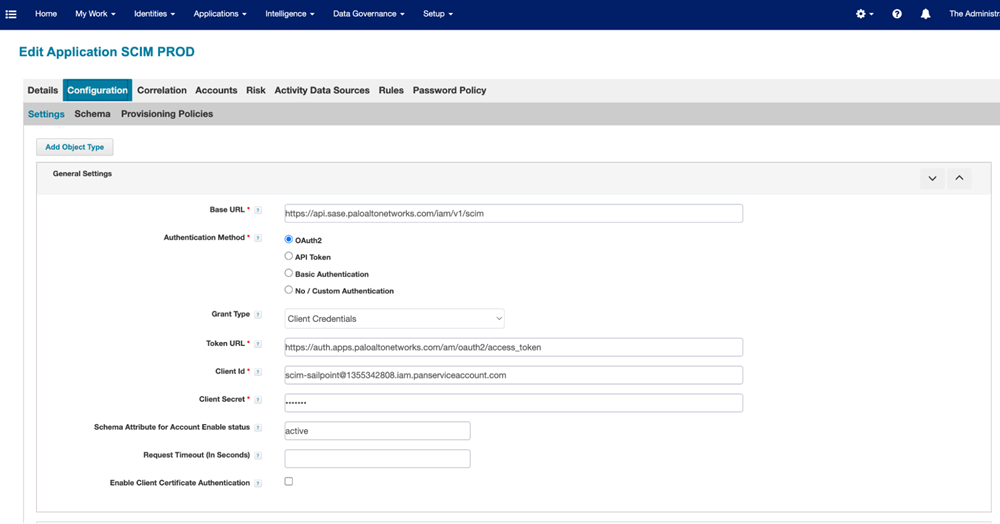
![]() After importing the XML, the application will display under the Application Definition.Select the application and enter the OAuth2 client credentials from the service account you created in Strata Cloud Manager.
After importing the XML, the application will display under the Application Definition.Select the application and enter the OAuth2 client credentials from the service account you created in Strata Cloud Manager.![]() Set up Aggregation Tasks in SailPoint for Accounts and Groups for the SCIM Connector.
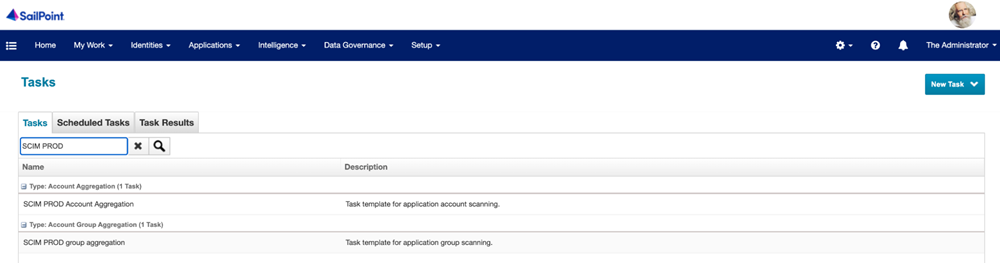
Set up Aggregation Tasks in SailPoint for Accounts and Groups for the SCIM Connector.![]() This ensures that all relevant identity data from Strata Cloud Manager is efficiently integrated into SailPoint, enabling better identity governance, streamlined access management, and enhanced security.
This ensures that all relevant identity data from Strata Cloud Manager is efficiently integrated into SailPoint, enabling better identity governance, streamlined access management, and enhanced security.