Connect Cables to the PA-1500 Series Firewall
Table of Contents

Connect Cables to the PA-1500 Series Firewall
Learn how to connect cables to the PA-1500 Series Firewall.
After you connect AC or DC power to the firewall, connect your management computer to
the management port on the firewall so you can begin the initial configuration. You can
optionally connect your management computer to the console port, which provides a serial
connection to the firewall and enables you to view the bootup messages and manage the
firewall using the command line interface (CLI).
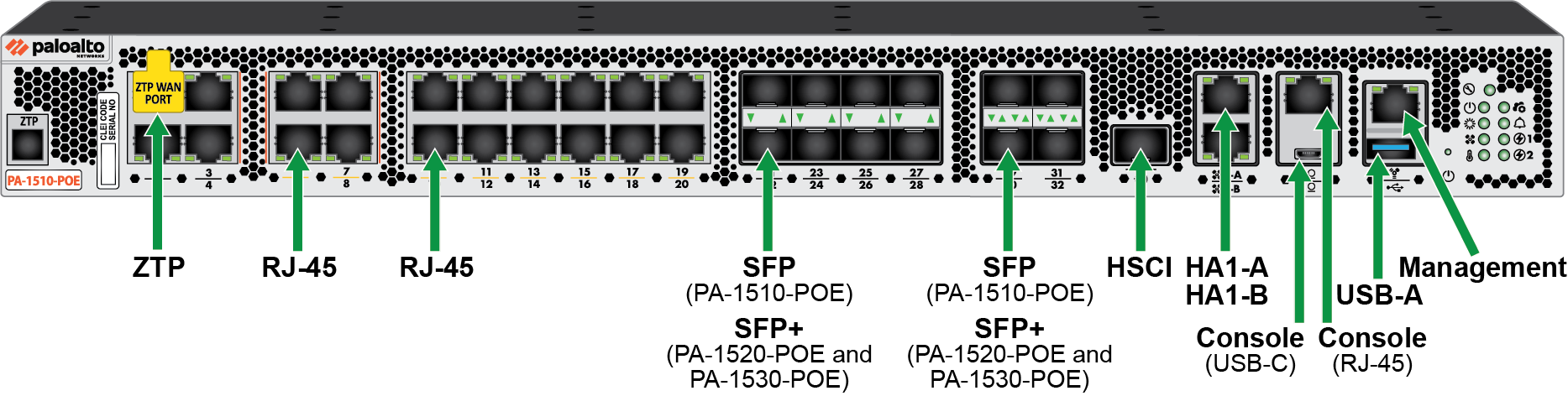
The following image shows an overview of the cable connections. For specific details
about port speeds, numbering, and variations between models, refer to the PA-1500 Series Firewall Components.