Install the PA-3500 Series Firewall in an Equipment Rack
Table of Contents

Install the PA-3500 Series Firewall in an Equipment Rack
Learn how to install the PA-3500 Series Firewall in an equipment rack.
The following procedure describes how to install the PA-3500 Series firewalls in a
19" four-post equipment rack.
Ensure that you have the correct rack kit equipment for your firewall.
- The PA-3510 and PA-3520 use the PAN-PA-1RU-RACK-KIT
- The PA-3530 and PA-3540 use the PAN-PA-2RU-RACK4
The back panel of the firewall should remain accessible to ensure ease of
replacing a power supply or fan assembly.
Read the following safety information before you proceed with the equipment rack
installation:
- Elevated ambient operating temperature — If the PA-3500 Series firewall is installed in a closed or multi-unit rack assembly, the ambient operating temperature of the rack environment may be greater than the ambient room temperature. Verify that the ambient temperature of the rack assembly does not exceed the maximum rated ambient temperature requirements listed in the PA-3500 Series Firewall Environmental Specifications.
- Reduced airflow — Ensure that the airflow required for safe operation is not compromised by the rack installation.
- Mechanical loading — Ensure that the rack-mounted firewall does not cause hazardous conditions due to uneven mechanical loading.
- Circuit overloading — Ensure that the circuit that supplies power to the firewall is sufficiently rated to avoid circuit overloading or excess load on supply wiring. See PA-3500 Series Firewall Electrical Specifications.
- Reliable earthing — Maintain reliable earthing of rack-mounted equipment. Pay special attention to power connections other than direct connections to the branch circuit (such as use of power strips or extension cords) to ensure that the firewall does not exceed power ratings for connected hardware.
PA-3510 and PA-3520
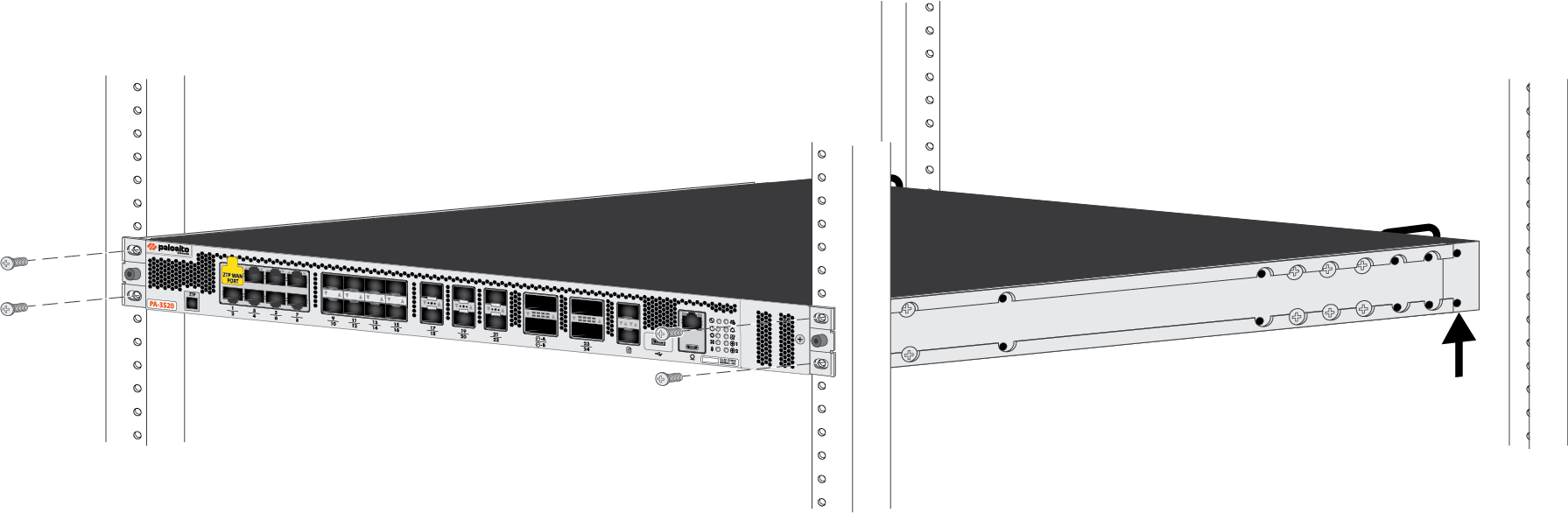
Install the PA-3510 or PA-3520 firewall in a 19" four-post equipment rack using the PAN-PA-1RU-RACK-KIT.
- Attach one fixed rack mount bracket to each side of the firewall.
- Use four #6-32 × 3/16" screws for the front screw holes in each bracket (8 total).
- Use six #6-32 × 3/16" screws for the back screw holes in each bracket (12 total).
![]() With help from another person, hold the firewall in the rack and secure the fixed rack mount brackets to the front rack-posts using the appropriate screws for your rack.Use two screws for each bracket (4 total).
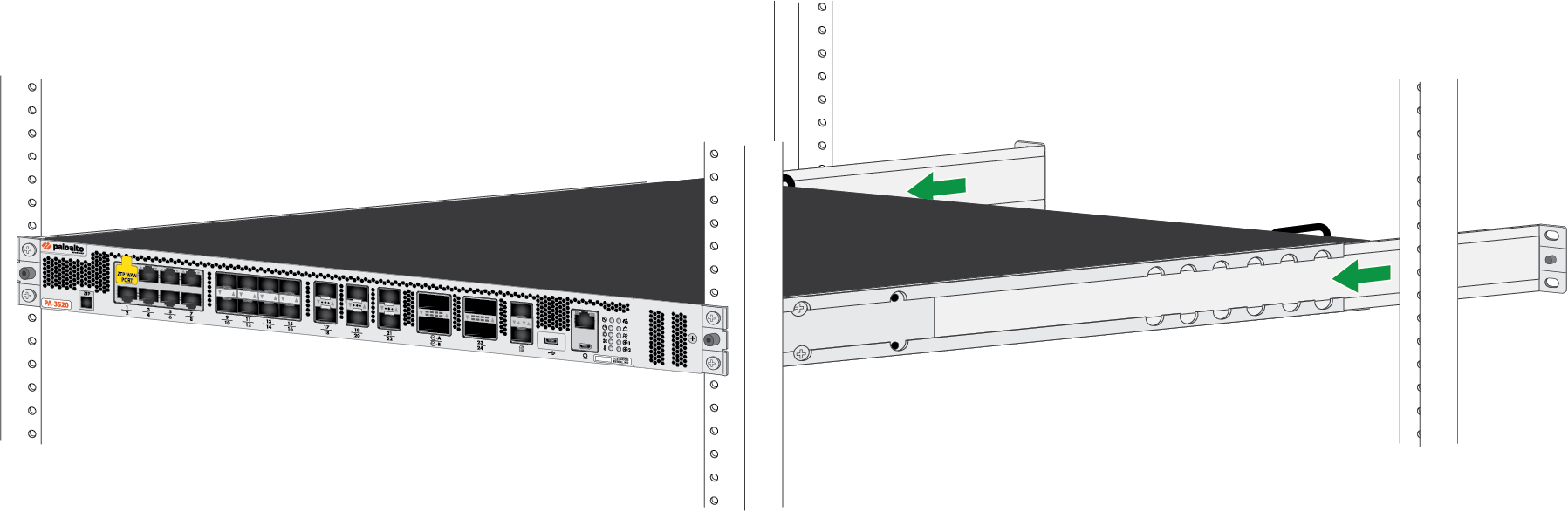
With help from another person, hold the firewall in the rack and secure the fixed rack mount brackets to the front rack-posts using the appropriate screws for your rack.Use two screws for each bracket (4 total).![]() Slide one adjustable rack mount bracket into each of the two previously installed fixed rack mount brackets.
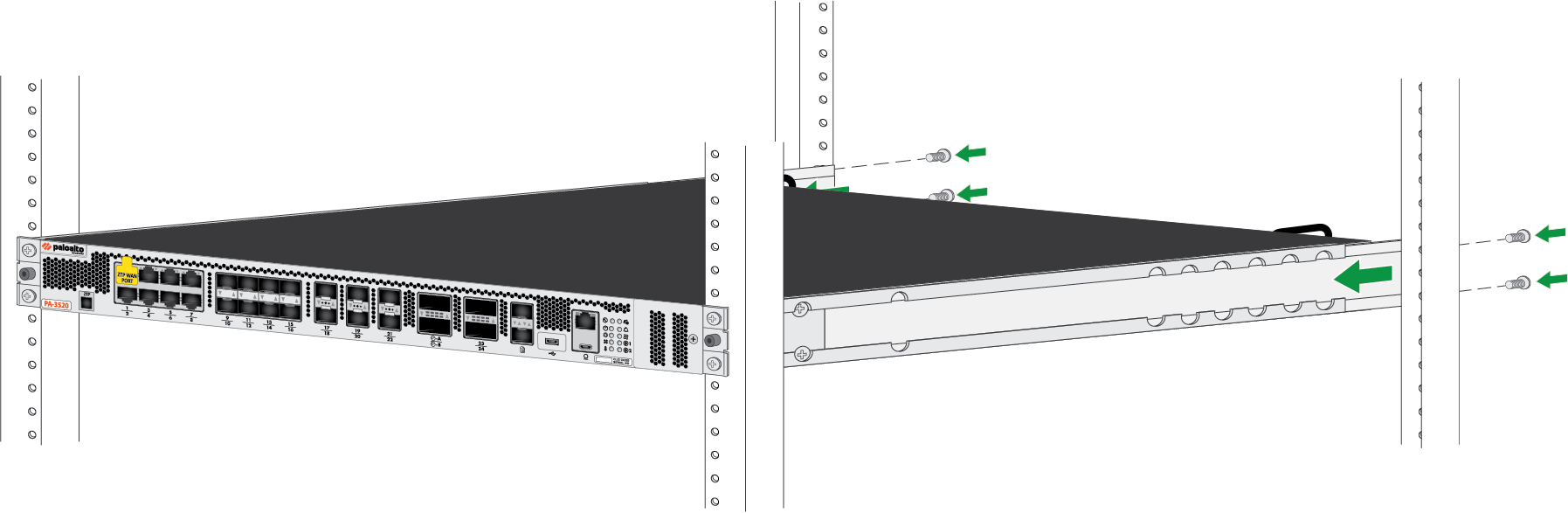
Slide one adjustable rack mount bracket into each of the two previously installed fixed rack mount brackets.![]() Secure the two adjustable rack mount brackets to the back rack-posts using two screws for each bracket.
Secure the two adjustable rack mount brackets to the back rack-posts using two screws for each bracket.![]()
PA-3530 and PA-3540
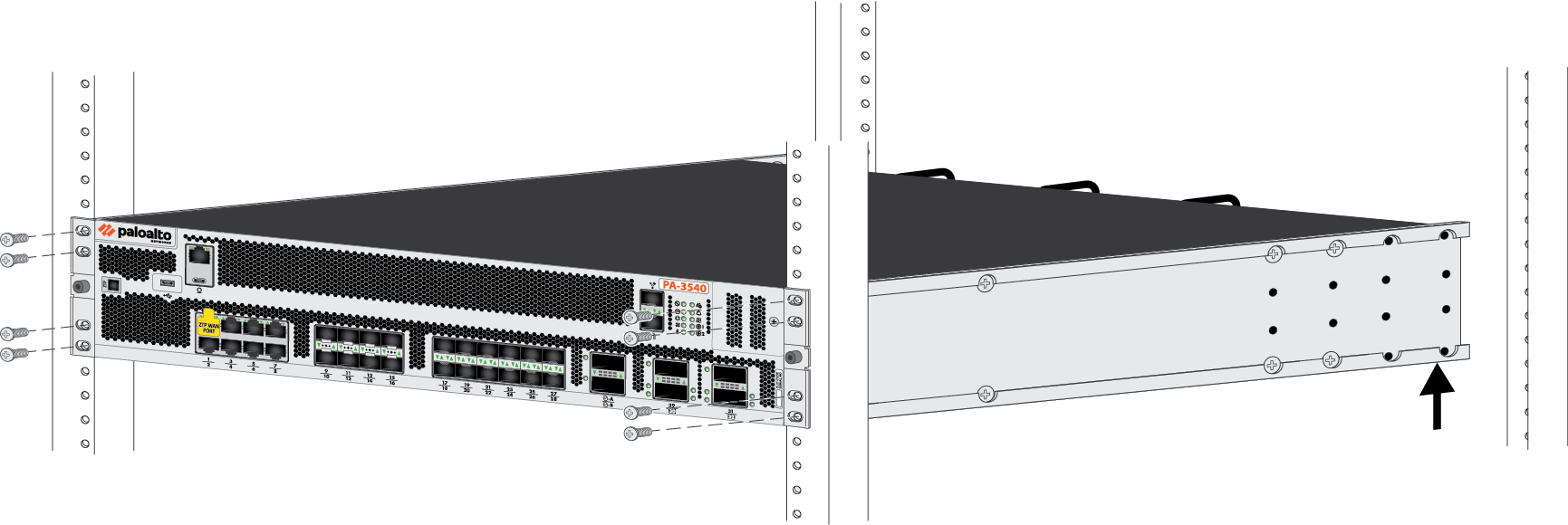
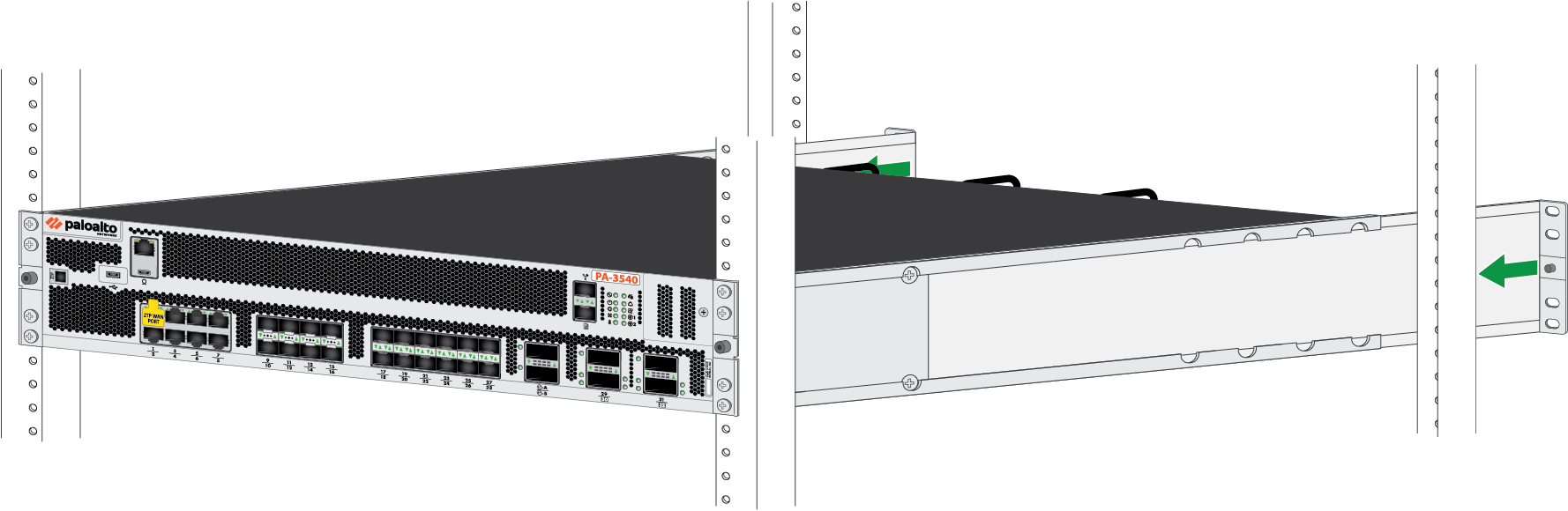
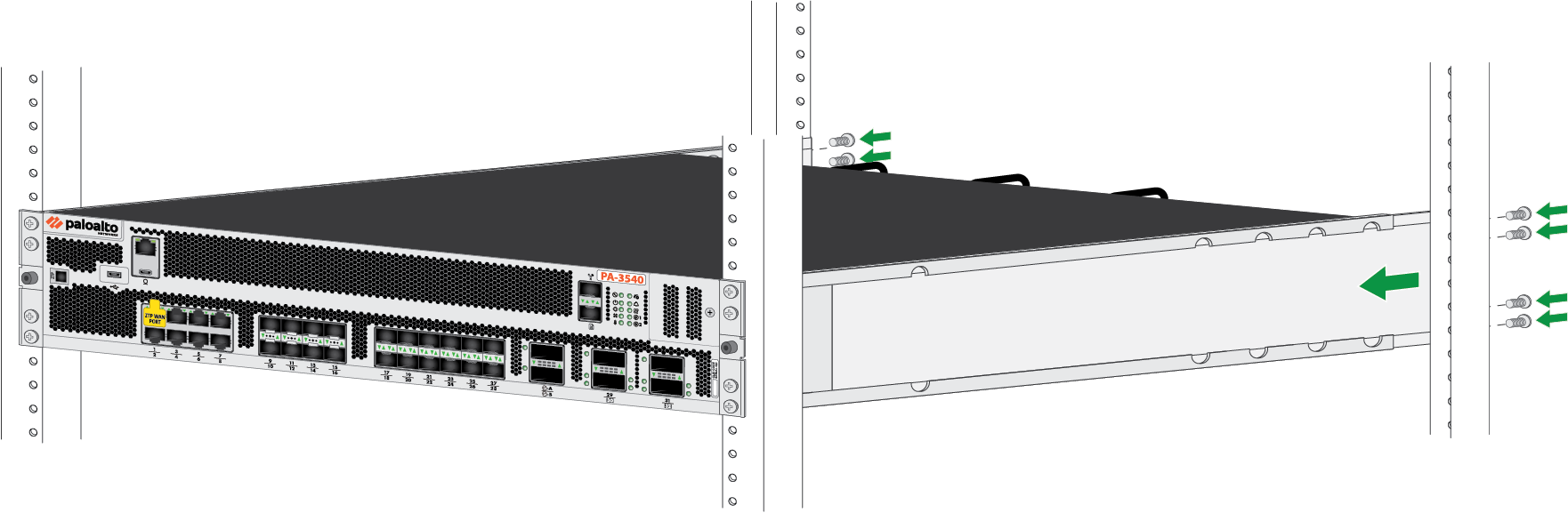
Install the PA-3530 or PA-3540 firewall in a 19" four-post equipment rack using the PAN-PA-2RU-RACK4.- Attach one fixed rack mount bracket to each side of the firewall.
- Use four #8-32 x 5/16" screws for the front screw holes in each bracket (8 total).
- Use four #6-32 x 5/16" screws for the back screw holes in each bracket (8 total).
![]() With help from another person, hold the firewall in the rack and secure the fixed rack mount brackets to the front rack-posts using the appropriate screws for your rack.Use four screws for each bracket (8 total).
With help from another person, hold the firewall in the rack and secure the fixed rack mount brackets to the front rack-posts using the appropriate screws for your rack.Use four screws for each bracket (8 total).![]() Slide one adjustable rack mount bracket into each of the two previously installed fixed rack mount brackets.
Slide one adjustable rack mount bracket into each of the two previously installed fixed rack mount brackets.![]() Secure the two adjustable rack mount brackets to the back rack-posts using two screws for each bracket.
Secure the two adjustable rack mount brackets to the back rack-posts using two screws for each bracket.![]()