
PA-3500 Series Firewall LED Definitions
Table of Contents

PA-3500 Series Firewall LED Definitions
Learn about the meanings of the LEDs on the PA-3500 Series Firewall.
The following table describes how to interpret the status LEDs on a PA-3500 Series
firewall.
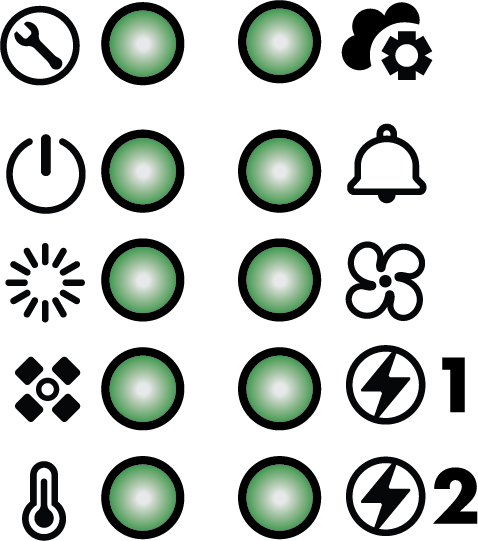
| LED | Description |
|---|---|
|
Front Panel LEDs
| |

|
Service
|

|
Power
|

|
Status
|

|
High Availability
|

|
Temperature
See the PA-3500 Series Firewall Environmental Specifications for the operating
temperature range.
|

|
Controller
|

|
Alarm
|

|
Fans
|

|
Power Supplies
When facing the back of the firewall,
1 is the left power supply and 2 is the right
power supply. |
|
Port LEDs
| |
|
RJ-45
|
These ports have one green LED each.
|
|
SFP, SFP+, SFP28, QSFP+, and QSFP28
|
The color of each LED differs based on the port speed. Refer to the
descriptions on the PA-3500 Series Firewall Components for the supported speeds on each
port.
1G—Yellow
10G—Green
25G—Green & Blue
40G—Yellow
100G—Blue
|