Replace a PA-7500 Series Firewall Logging Drive
Table of Contents

Replace a PA-7500 Series Firewall Logging Drive
Learn how to replace a logging drive on a PA-7500 Series firewall.
The Management Processing Card (MPC) contains two slots for logging drives. Replace a
logging drive when it has failed or is degraded, as shown by the
Status field in show system disk
detail. A system reboot is required after physically inserting the
replacement drive so that the firewall can initialize the drive before you can
partition and mount it.
- Identify the failed drive name by running the following operational command:
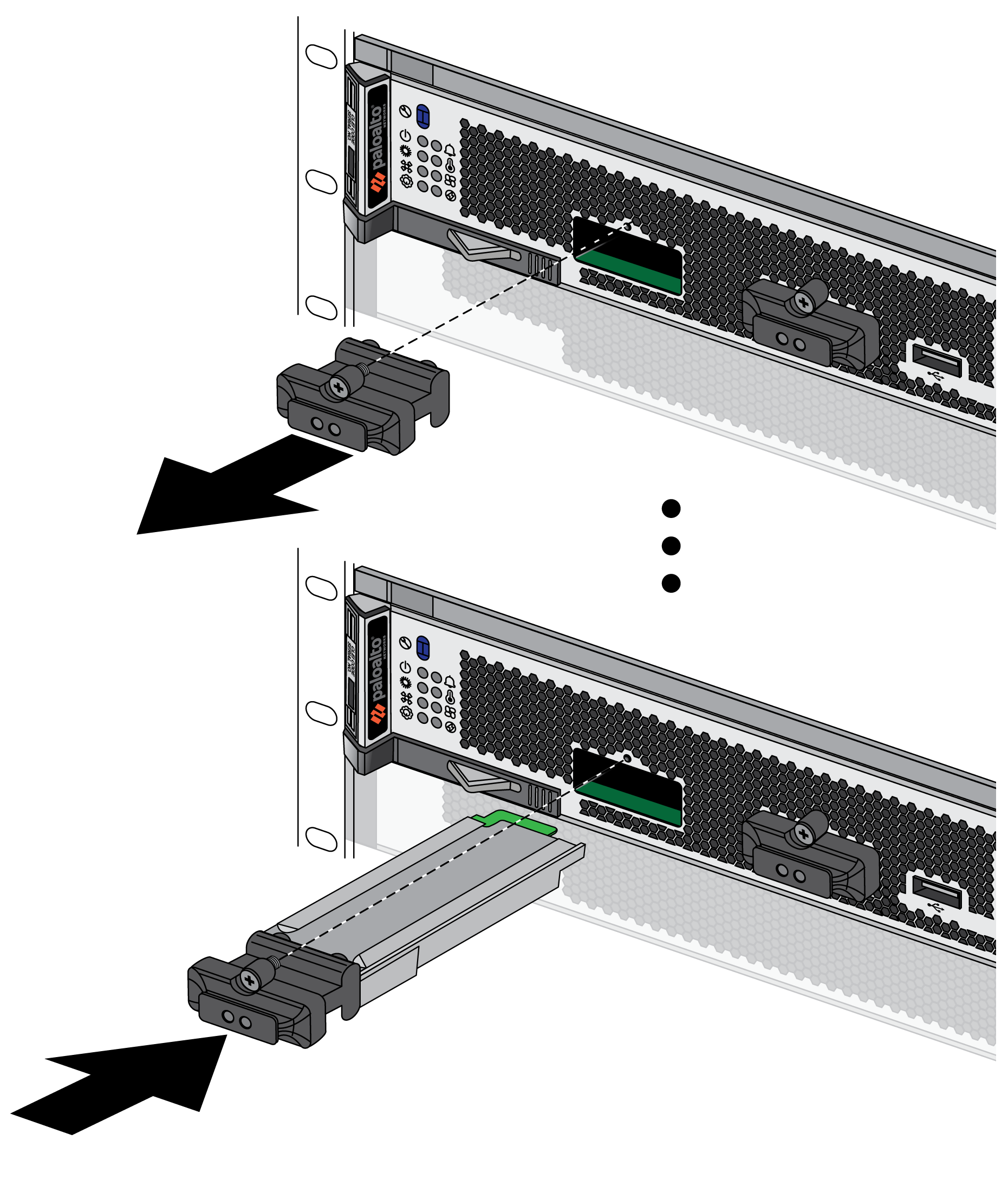
admin@PA-7500> show system disk detailThe logging drive name is typically nvme2n1 or nvme3n1.Remove the failed drive from the operating system:admin@PA-7500> request system disk remove logging-drive-nameAttach an ESD strap to your wrist and plug the other end in to the ESD port location on the chassis.Loosen the retaining screw on the logging drive cover while gently pulling on the pull tab. Proceed until the logging drive cover can be pulled out from the MPC faceplate.Remove the failed logging drive from the cover.Attach the replacement logging drive to the cover and re-insert it into the MPC faceplate. Align the retainer screw with the threaded hole and tighten to 4 in-lbs.Exceeding a torque of 4.5 in-lbs will damage the equipment.![]() Reboot the firewall and wait for autocommit to complete:
Reboot the firewall and wait for autocommit to complete:admin@PA-7500> request restart systemVerify that the firewall detects the replacement drive:admin@PA-7500> show system disk detailConfirm that the drive appears with a State of Present.Partition and mount the replacement logging drive:admin@PA-7500> request system disk add logging-drive-nameExecuting this command deletes all data on the drive.Adding the logging drive can take a few minutes. Run show system disk detail to check the status. The Reason field displays Admin enabled when the process is complete.Enable the newly added logging drive:admin@PA-7500> request logdb-migrate logging-drive startThe firewall automatically reboots after enabling the new logging drive.