PA-3530 and PA-3540
Table of Contents

PA-3530 and PA-3540
Install the PA-3530 or PA-3540 firewall in a 19" four-post equipment rack using the PAN-PA-2RU-RACK4.
- Attach one fixed rack mount bracket to each side of the firewall.
- Use four #8-32 x 5/16" screws for the front screw holes in each bracket (8 total).
- Use four #6-32 x 5/16" screws for the back screw holes in each bracket (8 total).
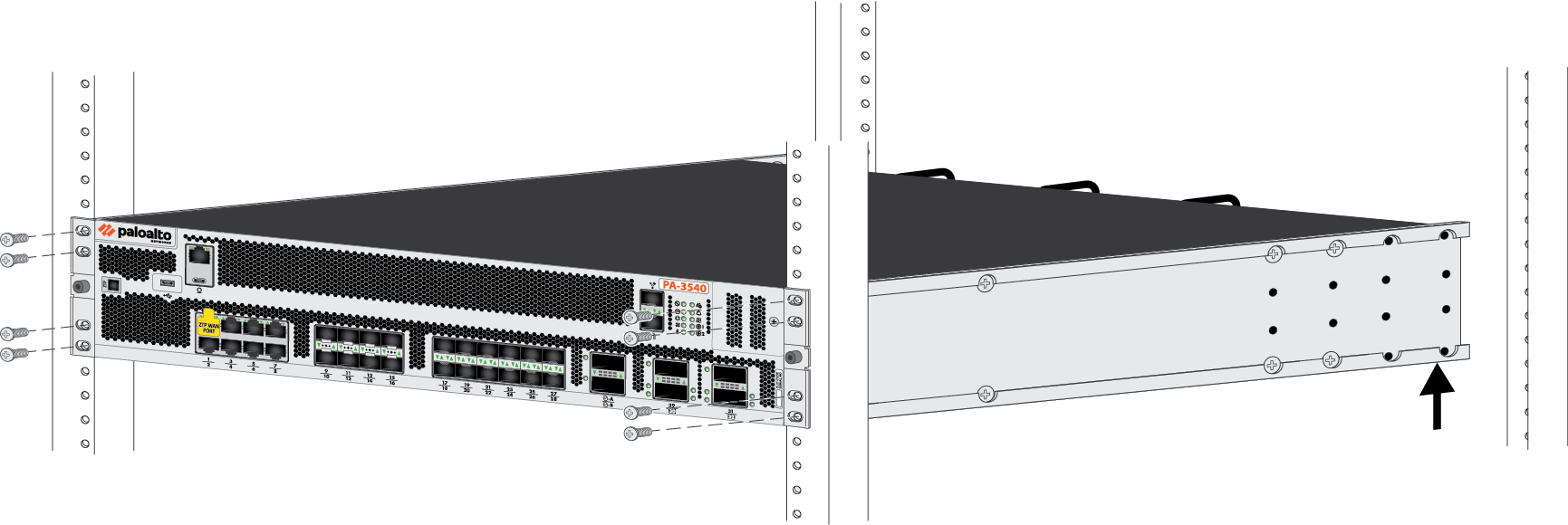
![]() With help from another person, hold the firewall in the rack and secure the fixed rack mount brackets to the front rack-posts using the appropriate screws for your rack.Use four screws for each bracket (8 total).
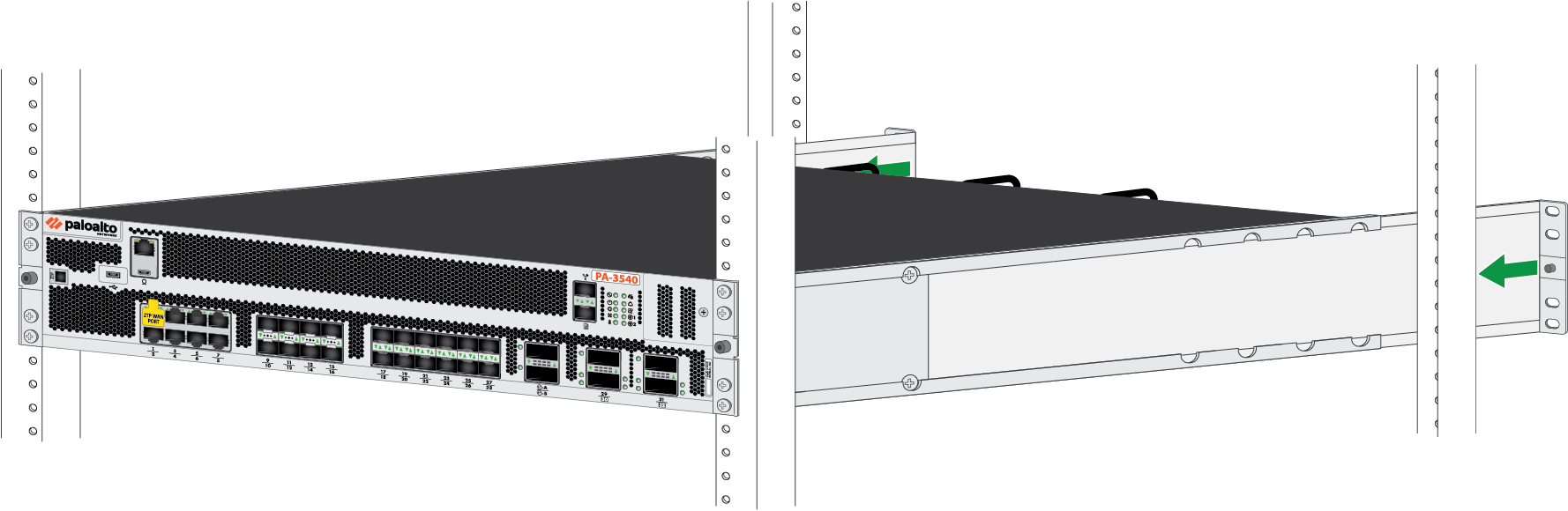
With help from another person, hold the firewall in the rack and secure the fixed rack mount brackets to the front rack-posts using the appropriate screws for your rack.Use four screws for each bracket (8 total).![]() Slide one adjustable rack mount bracket into each of the two previously installed fixed rack mount brackets.
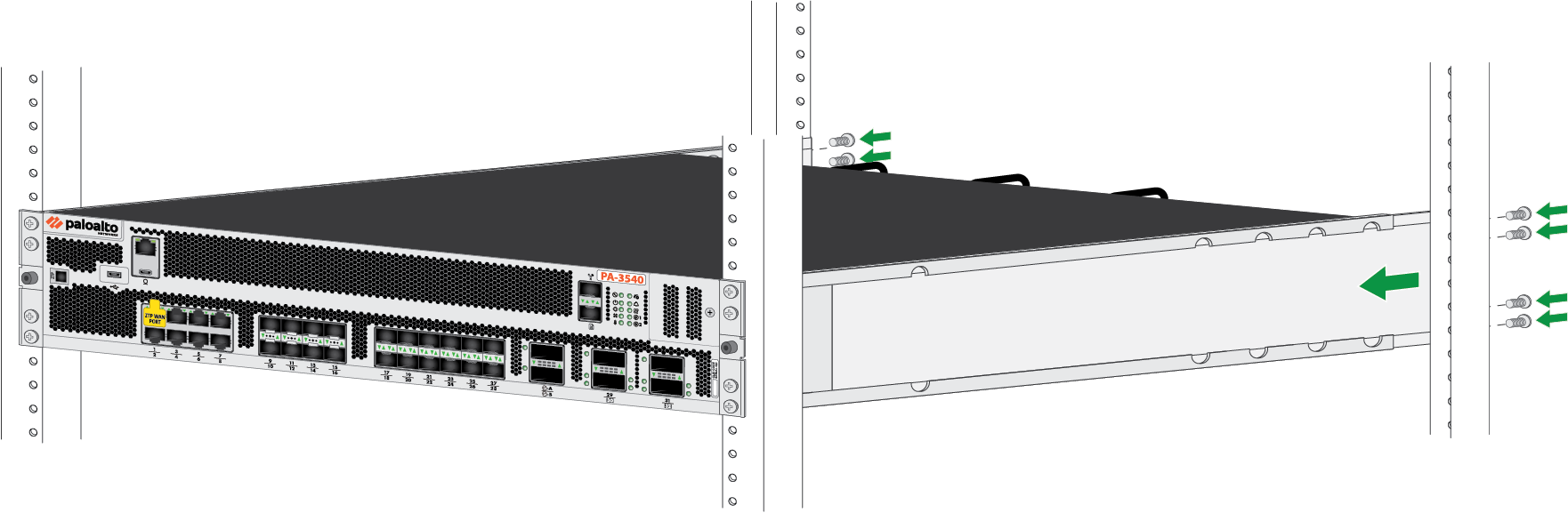
Slide one adjustable rack mount bracket into each of the two previously installed fixed rack mount brackets.![]() Secure the two adjustable rack mount brackets to the back rack-posts using two screws for each bracket.
Secure the two adjustable rack mount brackets to the back rack-posts using two screws for each bracket.![]()