Install Antennas on the PA-520-5G Firewall
Table of Contents

Install Antennas on the PA-520-5G Firewall
Attach external 5G antennas to the SMA antenna connectors on the PA-520-5G
firewall.
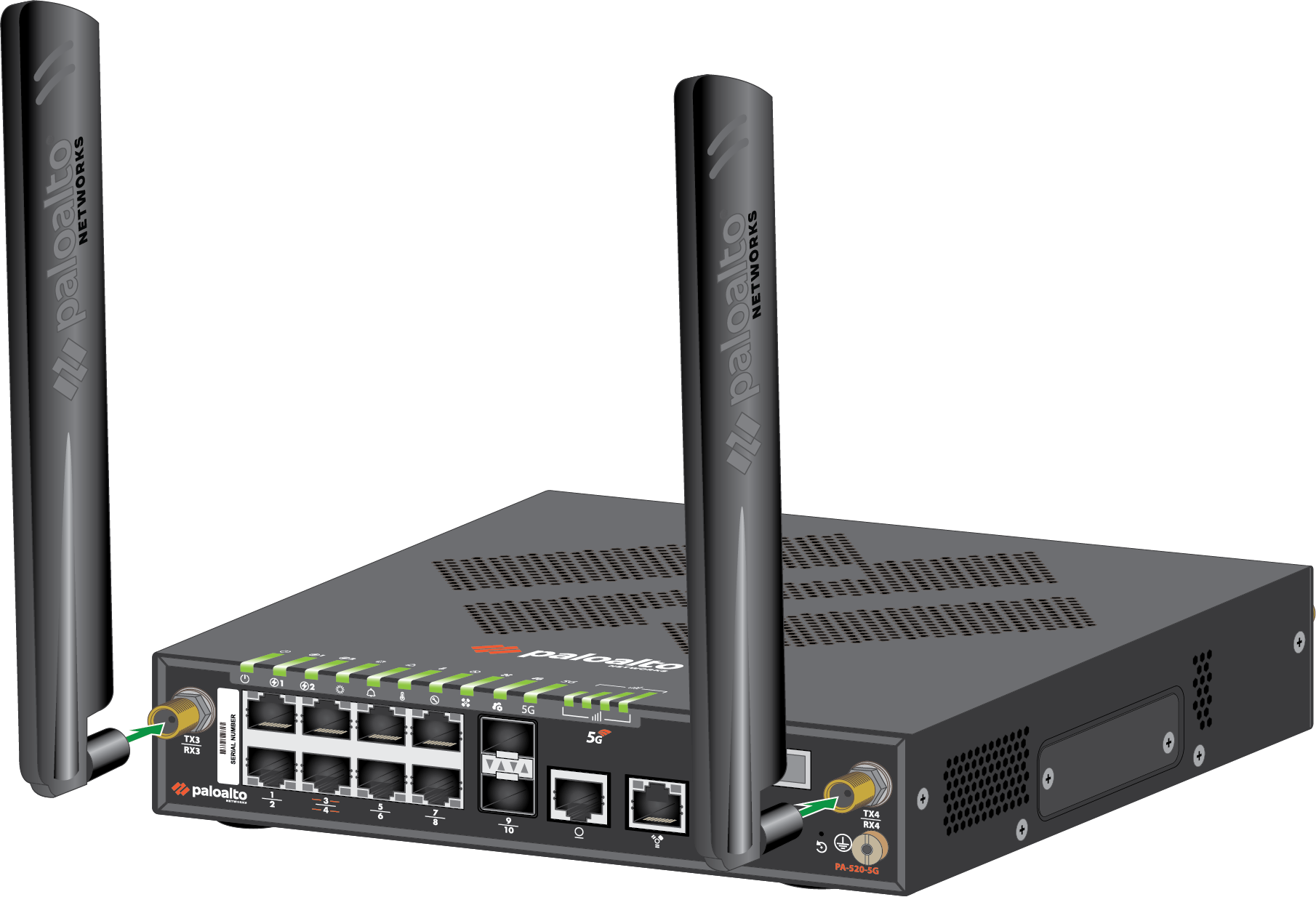
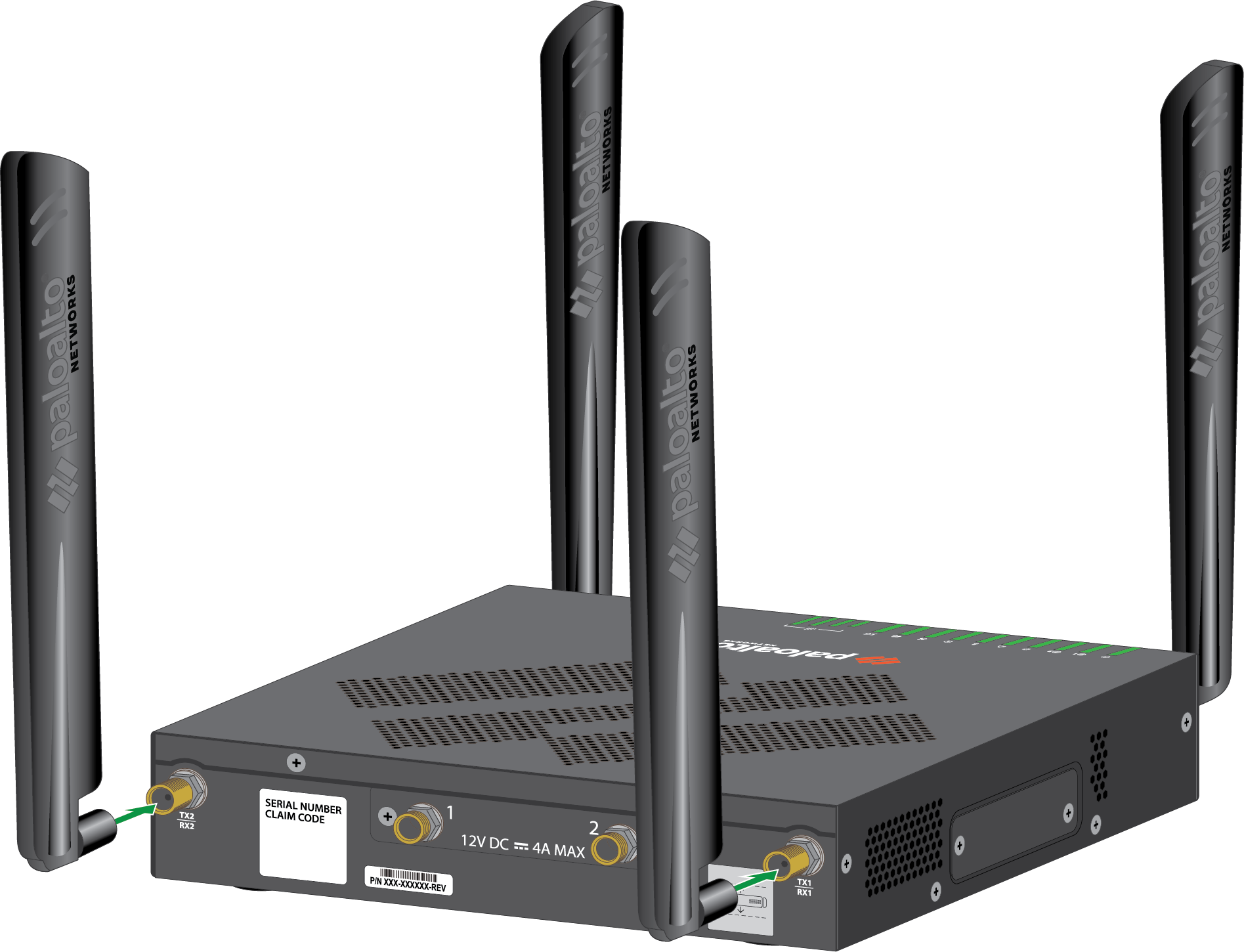
The PA-520-5G firewall has four SMA antenna connectors for 5G cellular connectivity.
Two connectors (TX3/RX3 and TX4/RX4) are located on the front panel and two connectors
(TX2/RX2 and TX1/RX1) are located on the rear panel. The four connectors support 4×4
MIMO antenna configurations.
Before installing the firewall, it is recommended that you conduct a cellular
location assessment of the installation site to receive the best signal strength
before installing the device.
The 5G antennas also support GPS and GLONASS (GNSS) for location services using
L1 and L5 frequencies. No separate GPS antenna is required.
- Locate the two SMA antenna connectors (TX3/RX3 and TX4/RX4) on the front panel of the PA-520-5G firewall.Thread an antenna onto each front-panel SMA connector and tighten finger-tight. Do not overtighten.
![]() Locate the two SMA antenna connectors (TX2/RX2 and TX1/RX1) on the rear panel of the PA-520-5G firewall.Thread an antenna onto each rear-panel SMA connector and tighten finger-tight. Do not overtighten.
Locate the two SMA antenna connectors (TX2/RX2 and TX1/RX1) on the rear panel of the PA-520-5G firewall.Thread an antenna onto each rear-panel SMA connector and tighten finger-tight. Do not overtighten.![]() Adjust the antenna orientation to receive the optimal signal strength in your environment.Check the signal strength of the firewall by viewing the Cellular LED (see PA-500 Series Firewall LED Definitions) or by checking the Firewall Web Interface.Ensure that power cables do not cross over the antennas as this can cause signal quality distortion and antenna performance degradation.
Adjust the antenna orientation to receive the optimal signal strength in your environment.Check the signal strength of the firewall by viewing the Cellular LED (see PA-500 Series Firewall LED Definitions) or by checking the Firewall Web Interface.Ensure that power cables do not cross over the antennas as this can cause signal quality distortion and antenna performance degradation.