PAN-1RU-4POST-RACK-10
Table of Contents

PAN-1RU-4POST-RACK-10
Install a PA-501, PA-505, or PA-510 firewall in an equipment rack using the
PAN-1RU-4POST-RACK-10 mounting kit.
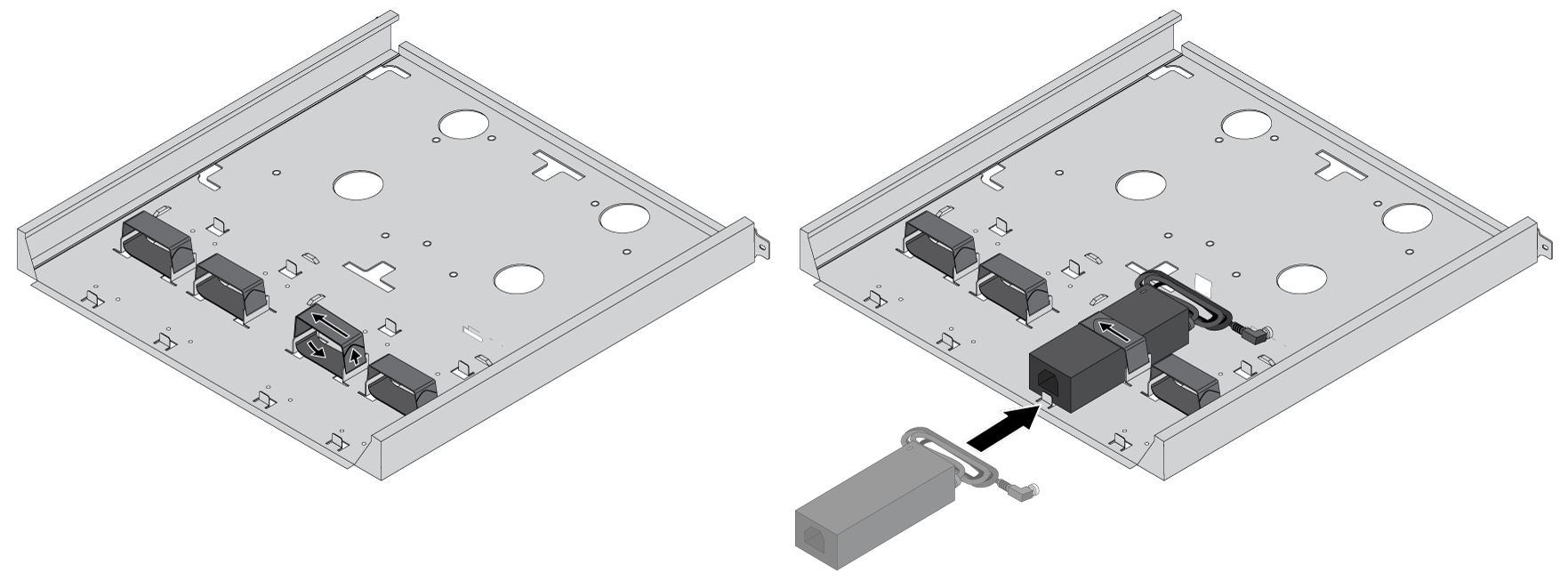
- Secure the power adapter(s) to the mounting tray.
- For each power adapter being installed (for a maximum of two for the
PA-510), feed one Velcro strap through the opening at the dedicated
power adapter locations on the mounting tray.
![]()
- Place each power adapter into its designated location, then wrap each Velcro strap over the top of the adapter so that the adapter is fixed in place.
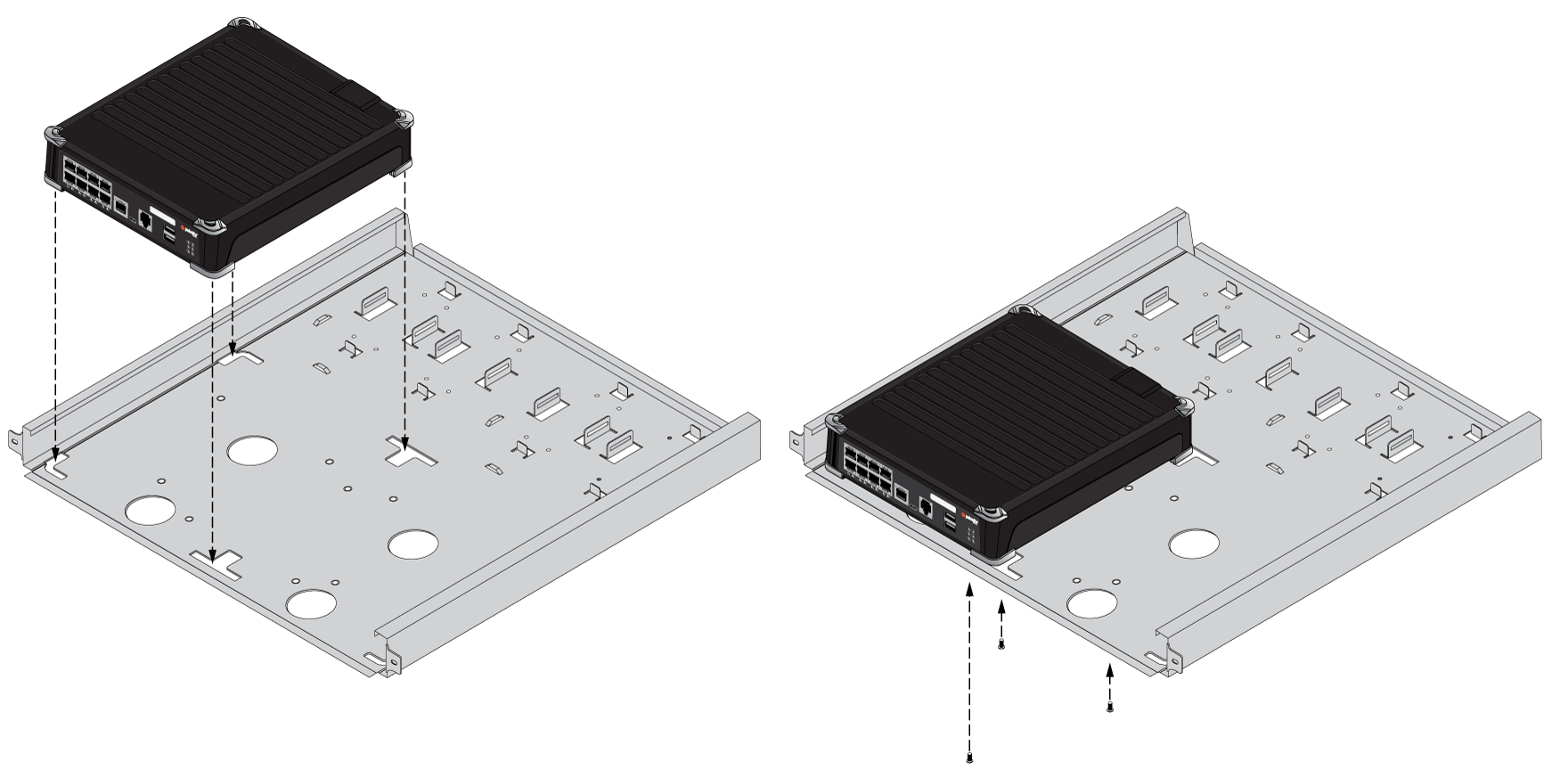
Install the firewall in the mounting tray.- Align the four rubber feet of each device to the mounting tray, then
secure it using three #6-32 x 3/16" long flathead screws.
![]()
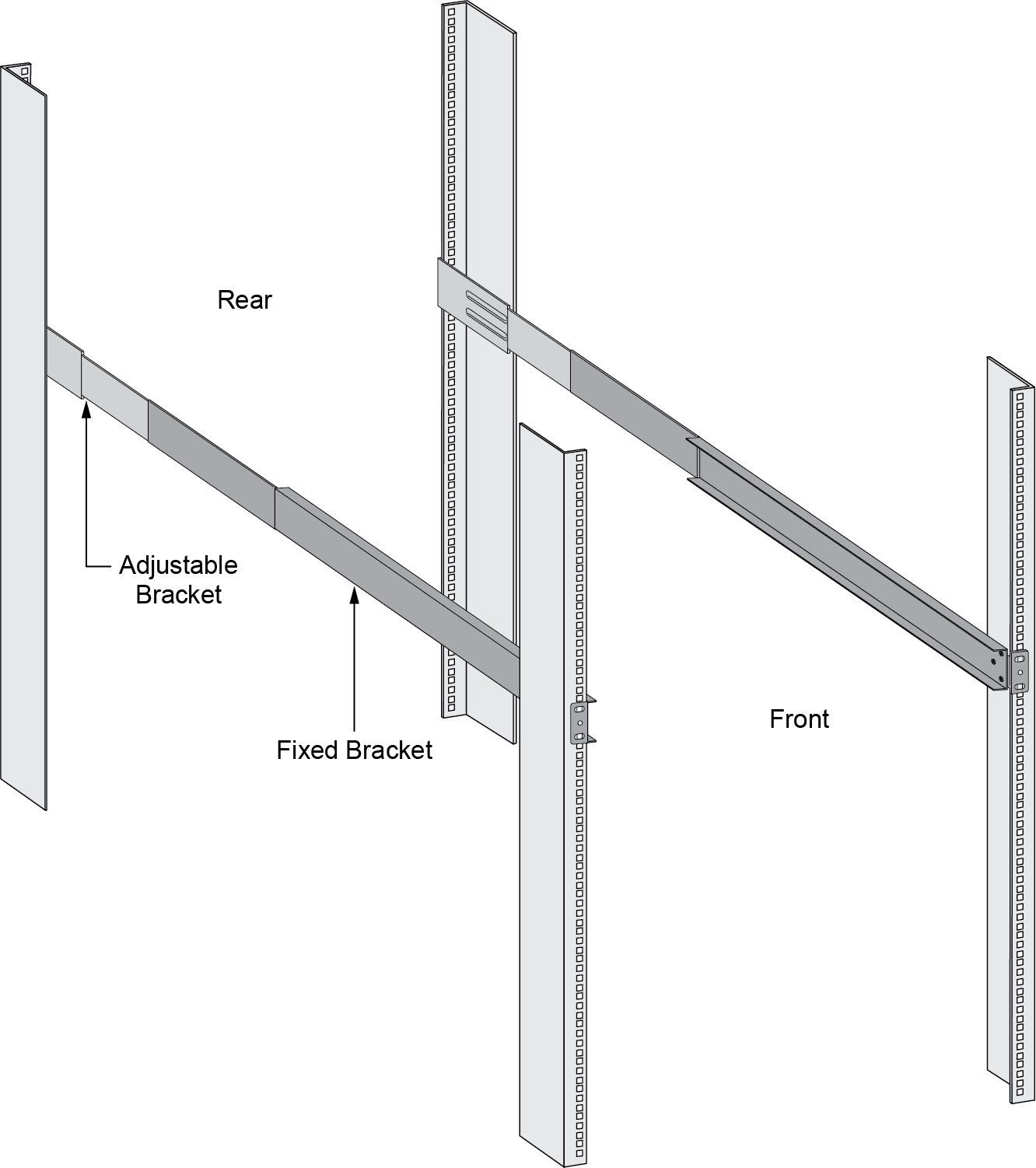
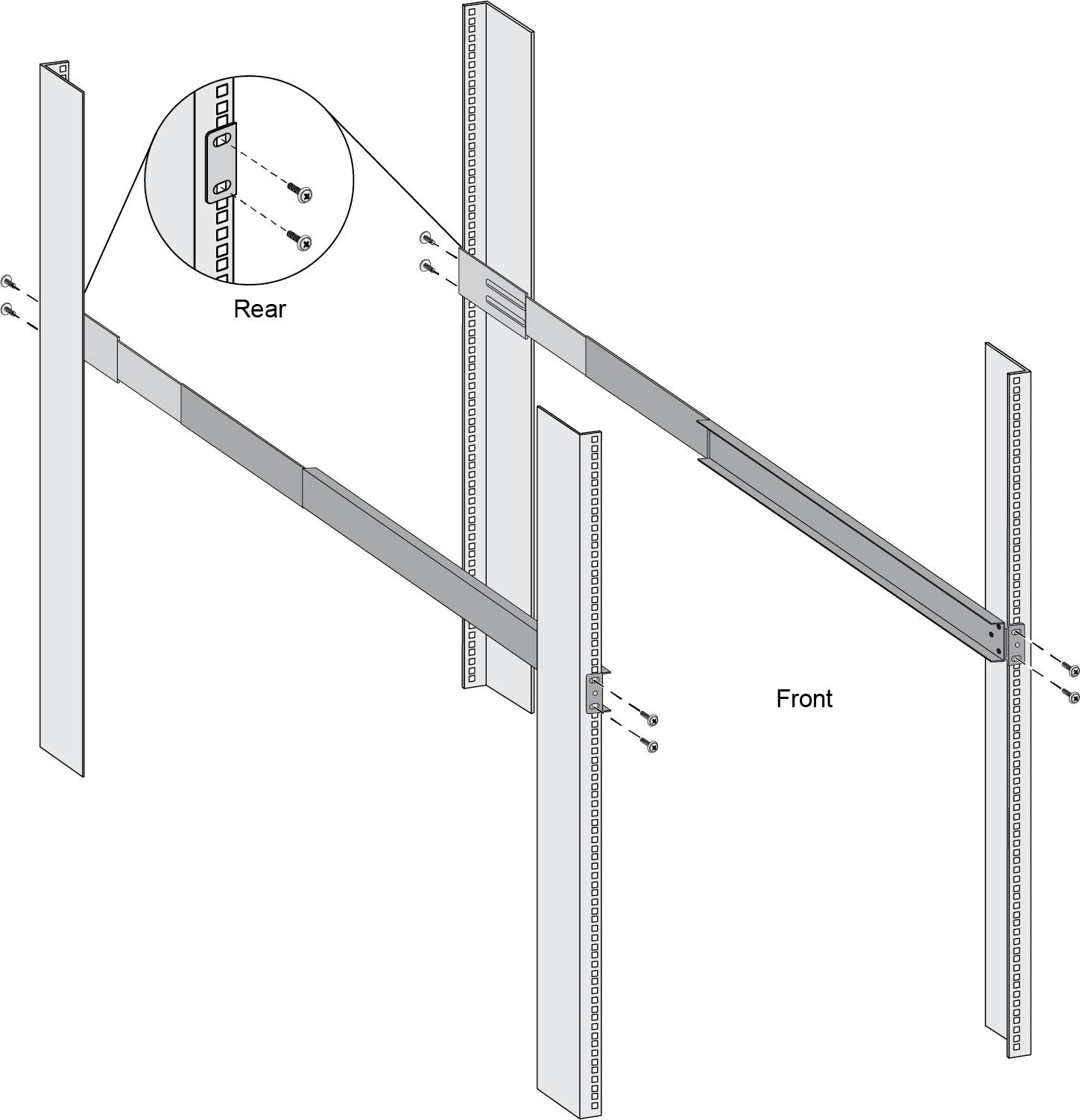
Slide one of the adjustable mounting brackets into one of the fixed mounting brackets to create a mounting rail. Repeat for the second mounting rail. The adjustable and fixed brackets are the same for the left and right side.![]() Align the bottom edge of the mounting rails to the bottom of the space reserved for your firewall. Align the slotted holes in the adjustable mounting bracket to the holes on the rear of the equipment frame.Secure the rails to the equipment frame with mounting screws (not provided) compatible with your equipment frame. Tighten the screws to their recommended torque value.
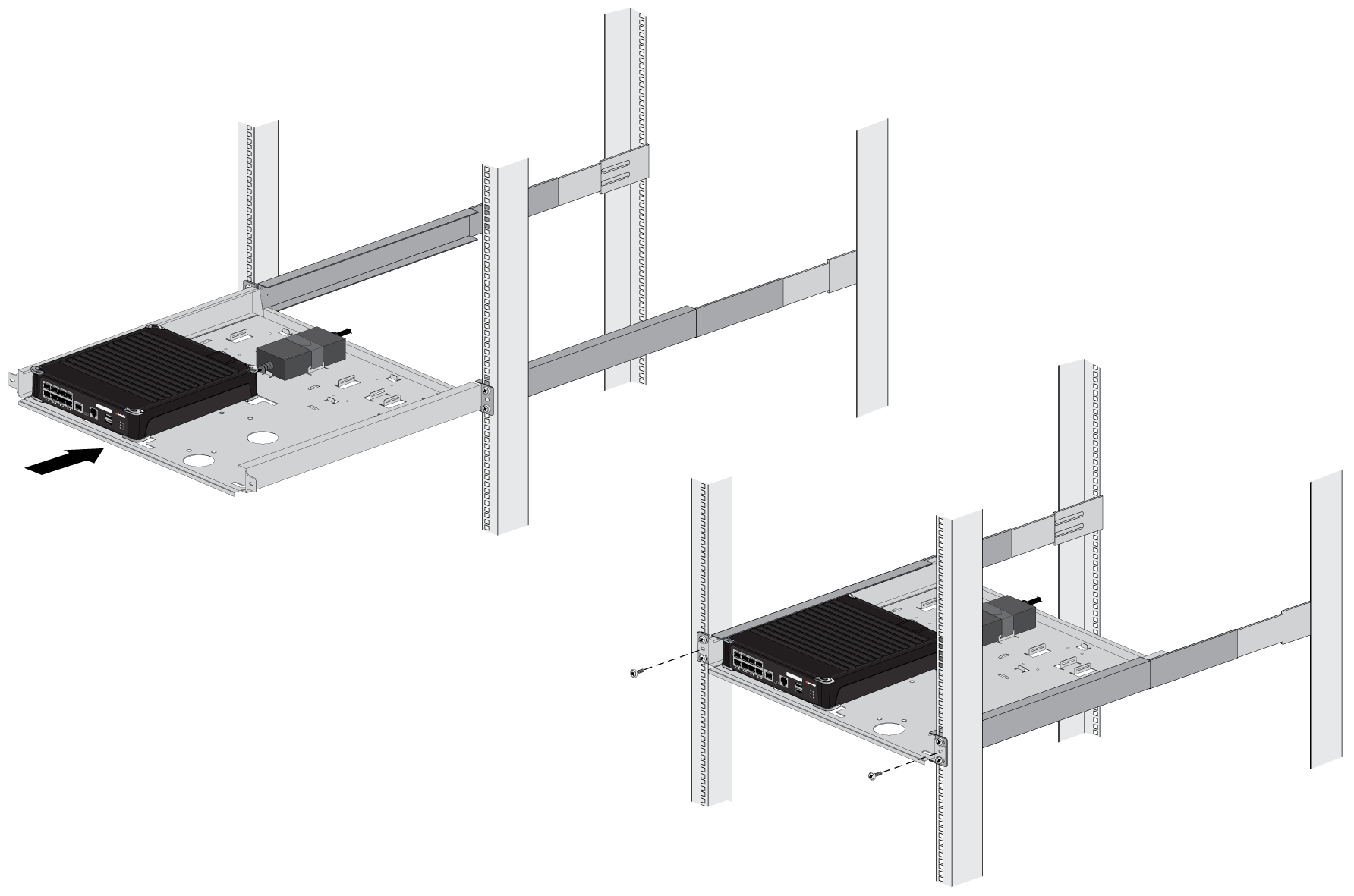
Align the bottom edge of the mounting rails to the bottom of the space reserved for your firewall. Align the slotted holes in the adjustable mounting bracket to the holes on the rear of the equipment frame.Secure the rails to the equipment frame with mounting screws (not provided) compatible with your equipment frame. Tighten the screws to their recommended torque value.![]() Slide the mounting tray into the rails previously fixed to the equipment rack. Stop when the front flange on the mounting tray is flush with the front of the rail.Align the slotted hole in the mounting tray to the hole in the equipment frame. Secure the mounting tray to the equipment frame on both sides using one screw each (not provided). The screws must be compatible with your equipment frame.
Slide the mounting tray into the rails previously fixed to the equipment rack. Stop when the front flange on the mounting tray is flush with the front of the rail.Align the slotted hole in the mounting tray to the hole in the equipment frame. Secure the mounting tray to the equipment frame on both sides using one screw each (not provided). The screws must be compatible with your equipment frame.![]() Proceed to Connect Power to the PA-500 Series Firewall.
Proceed to Connect Power to the PA-500 Series Firewall. - For each power adapter being installed (for a maximum of two for the
PA-510), feed one Velcro strap through the opening at the dedicated
power adapter locations on the mounting tray.