PAN-2RU-2POST-RACK-17
Table of Contents

PAN-2RU-2POST-RACK-17
Install a PA-520-5G firewall in a two-post equipment rack using the
PAN-2RU-2POST-RACK-17 mounting kit.
The PA-520-5G firewall can be mounted in a 2-post equipment rack using the
PAN-2RU-2POST-RACK-17.
| Quantity | Item |
|---|---|
| 1 | 2-post rack mount tray
|
| 8 | Phillips pan head screw — M4 × 8mm |
| 8 | Torx flat head screw (T10) — M3 × 5mm |
| 16 | Locking cable tie |
| 2 | Power cord retainer |
| 4 | Velcro strap |
| 4 | RF cable assembly — R/A SMA to N-type, 450mm L |
| 1 | Dual LTE/5G cable mount bracket |
| 1 | Single LTE/5G cable mount bracket |
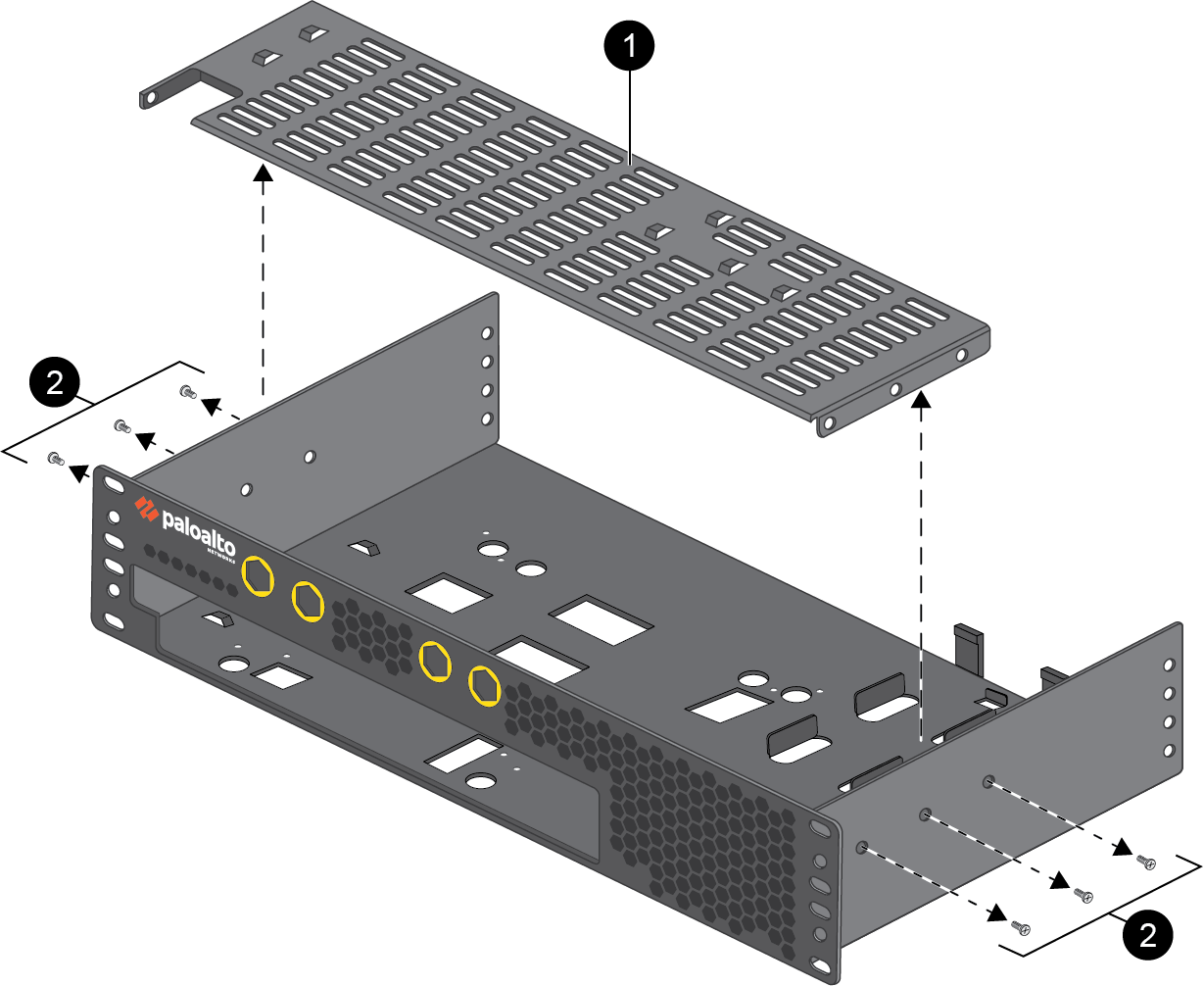
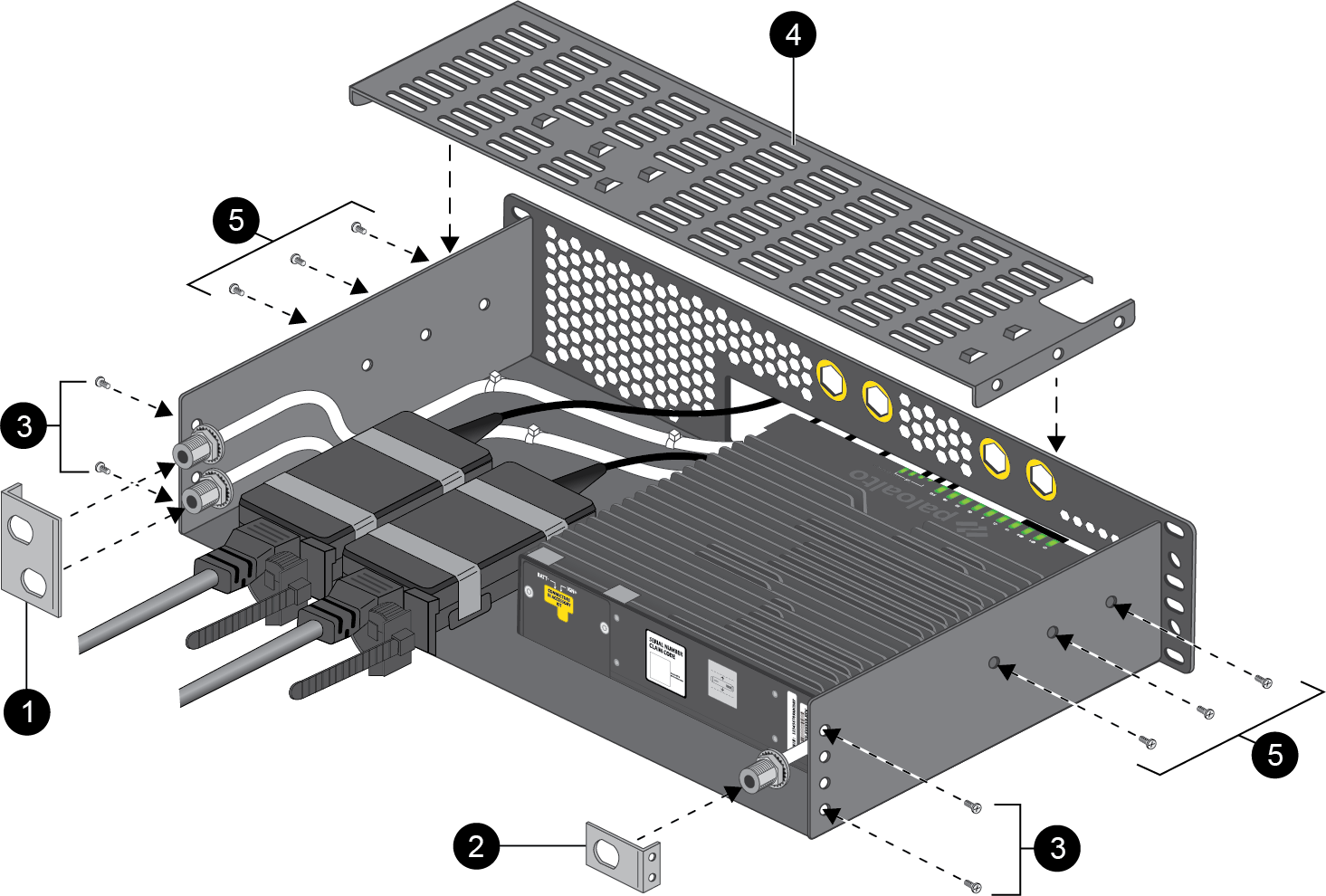
- Verify that the equipment rack has enough space to accommodate the firewall and has 1RU of space both above and below it.Using a Flathead screwdriver, remove the six screws (three on each side) securing the metal stiffener to the top of the rack tray. Remove the stiffener.
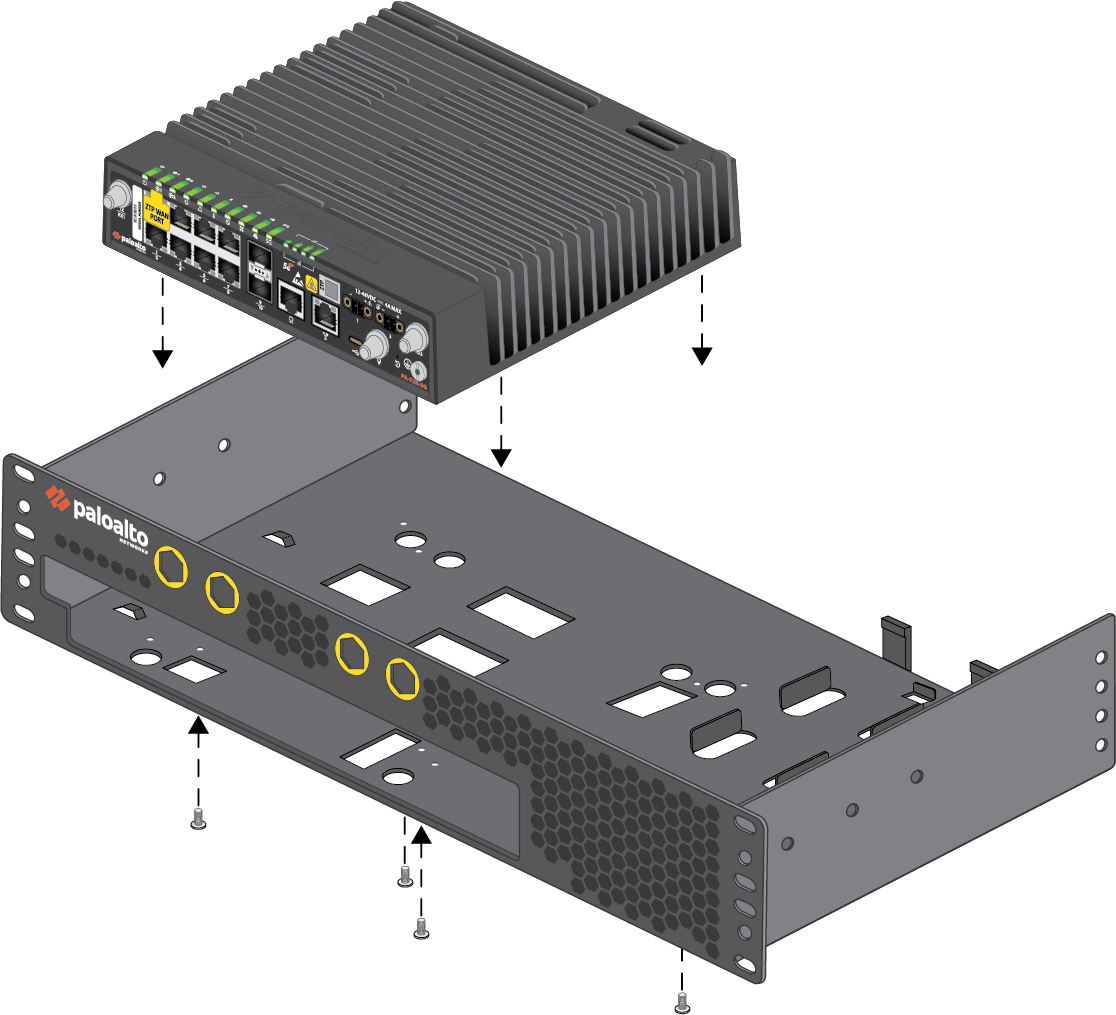
![]() Align the four holes on the bottom of the firewall with the designated location in the mounting tray. Seat the firewall and use four M3 Torx flat head screws to secure it in place.
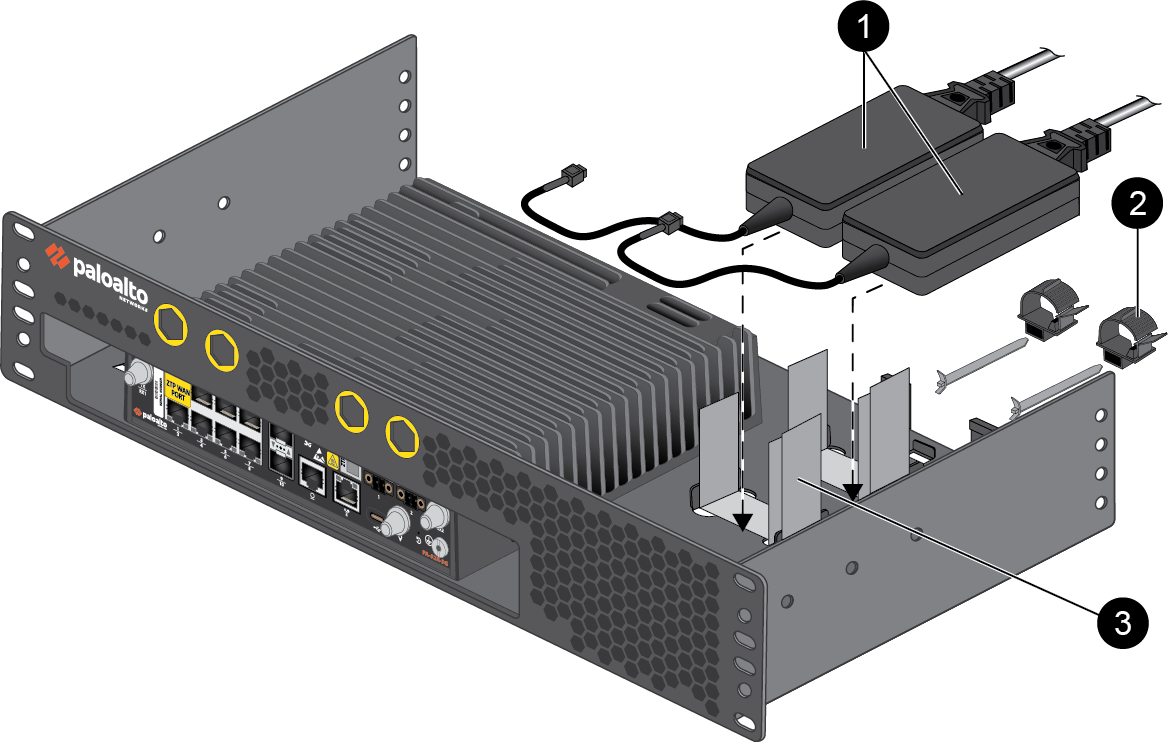
Align the four holes on the bottom of the firewall with the designated location in the mounting tray. Seat the firewall and use four M3 Torx flat head screws to secure it in place.![]() Place up to two power adapters in the designated location beside the firewall. Loop the provided Velcro straps through the cutouts in the mounting tray, using two straps per power adapter. Use cord retainers to secure the power cables in place.
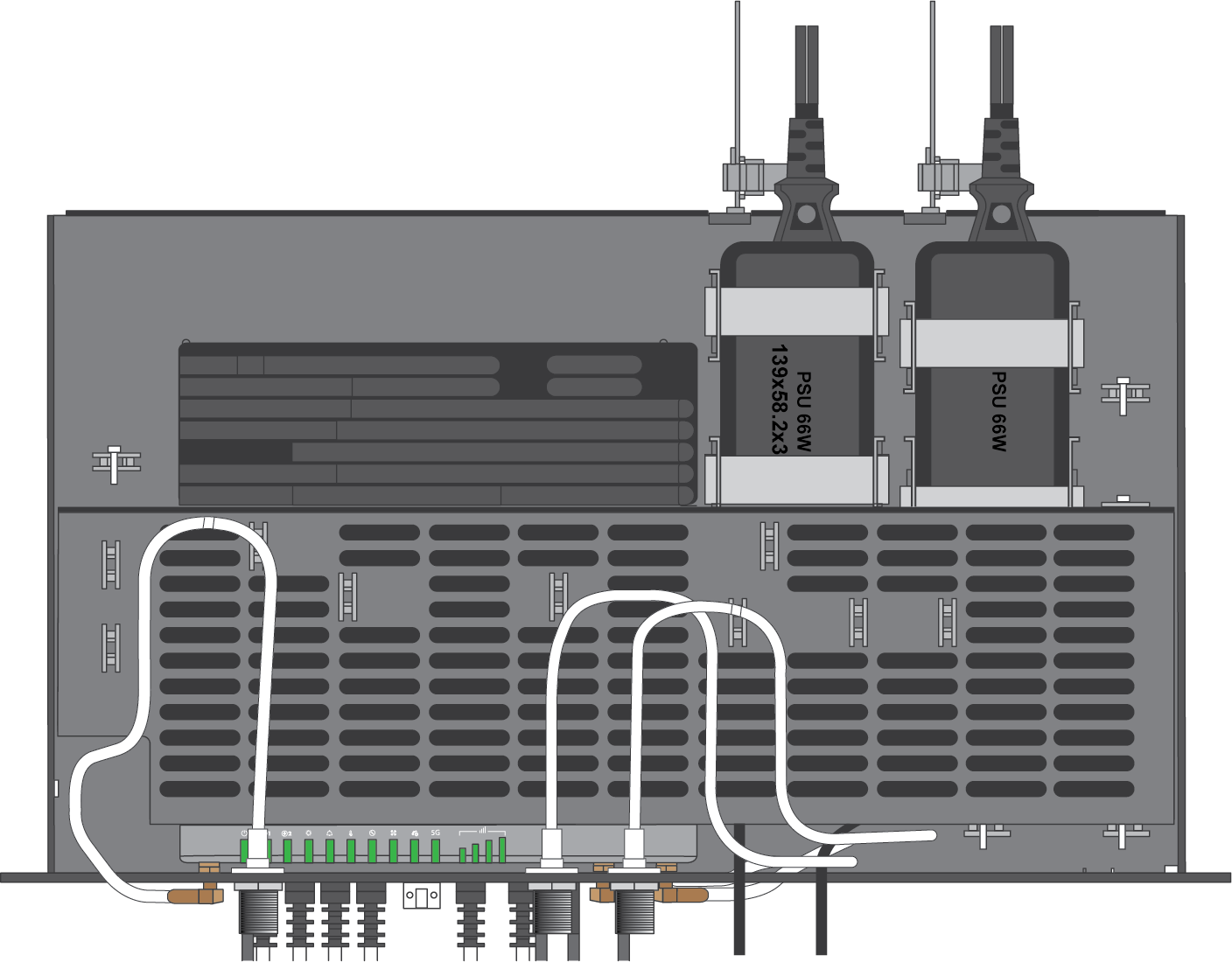
Place up to two power adapters in the designated location beside the firewall. Loop the provided Velcro straps through the cutouts in the mounting tray, using two straps per power adapter. Use cord retainers to secure the power cables in place.![]() Connect your cables and antenna connectors to the device and route them through the mounting tray in order to minimize slack. The antenna cables can be routed to the front or back side of the rack tray depending on where your antennas are installed.FrontGuide the antenna cables out of the openings in the front of the rack tray, then secure each cable in place using the included lock washer and nut.
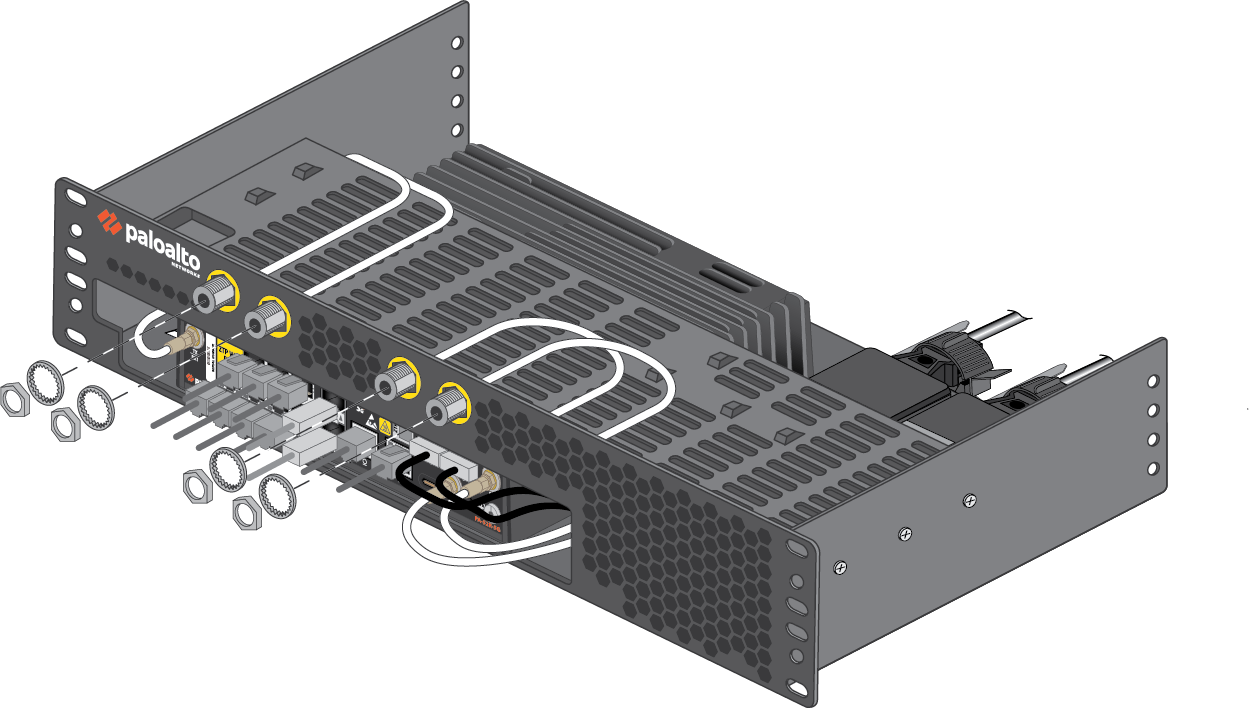
Connect your cables and antenna connectors to the device and route them through the mounting tray in order to minimize slack. The antenna cables can be routed to the front or back side of the rack tray depending on where your antennas are installed.FrontGuide the antenna cables out of the openings in the front of the rack tray, then secure each cable in place using the included lock washer and nut.![]()
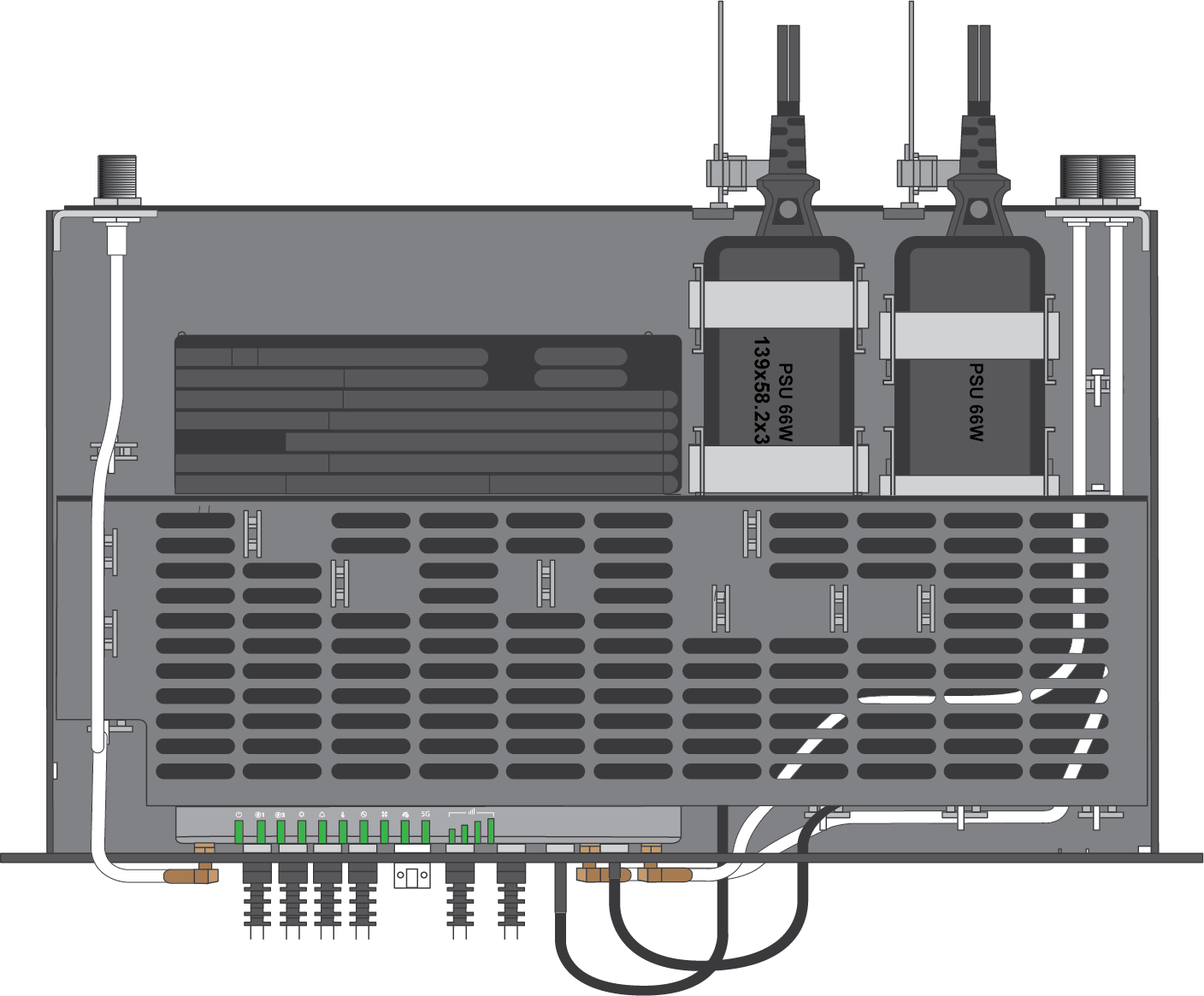
![]() BackInstall the provided antenna cable brackets to the back side of the rack tray using two M3 screws each (four total). After guiding the antenna cables through the brackets, secure each cable in place using the included lock washer and nut.
BackInstall the provided antenna cable brackets to the back side of the rack tray using two M3 screws each (four total). After guiding the antenna cables through the brackets, secure each cable in place using the included lock washer and nut.![]() Wrap cable ties through the small cutouts in the tray to secure the cables in place.Install the stiffener back over the device and secure it using three M3 screws on each side (6 total).
Wrap cable ties through the small cutouts in the tray to secure the cables in place.Install the stiffener back over the device and secure it using three M3 screws on each side (6 total).![]() Slide the firewall (seated securely in the mounting tray) into the equipment rack.Make sure that you do not block any of the airflow vents on the firewall.Secure the mounting tray to the equipment rack using compatible screws.After installation, you should inspect the hardware on a regular basis in order to account for dust, debris, and any other obstructions that may affect the firewall's airflow.Do not place any items or obstructions directly above or below the firewall within the 1RU of free space.
Slide the firewall (seated securely in the mounting tray) into the equipment rack.Make sure that you do not block any of the airflow vents on the firewall.Secure the mounting tray to the equipment rack using compatible screws.After installation, you should inspect the hardware on a regular basis in order to account for dust, debris, and any other obstructions that may affect the firewall's airflow.Do not place any items or obstructions directly above or below the firewall within the 1RU of free space.