
PA-50R Series Firewall LEDs
Table of Contents

PA-50R Series Firewall LEDs
View the colors, behaviors, and meanings of the various LEDs on the PA-50R Series
firewalls.
The following table describes how to interpret the status LEDs on the PA-50R
Series firewalls. Not all PA-50R Series firewalls have all of the LED indicators.
PA-52R-5G

PA-54R-POE-D-5G — Front (The PA-54R-POE and PA-56R-POE-5G LEDs are
similar)
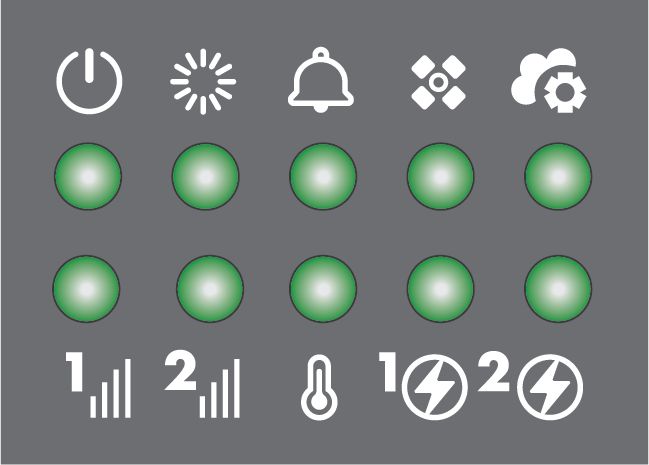
PA-54R-POE-D-5G — Back (The PA-54R-POE and PA-56R-POE-5G LEDs are similar)

| LED | Description |
|---|---|
| System LEDs | |

|
Power
|

|
Status
|

|
Alarm
|

|
High Availability (HA)
In an active/active configuration, the HA LED only indicates HA
status for the local firewall and has two possible states (green
or off); it does not indicate HA connectivity of the peer. Green
indicates that the firewall is either active-primary or
active-secondary and off indicates that the firewall is in any
other state (for example, non-functional or suspended). |

|
Controller
This LED is reserved for a future
release. |

|
Temperature
|

|
Power Supplies 1 and 2
|

|
DC Power
|

or
5G
|
Cellular
Only the PA-52R-5G has bars.
|
| Port LEDs | |
|
RJ-45 Ports
|
Link LED
Activity LED
Blinking—The link is up and there is network activity.
Off—There is no network activity.
|
|
SFP Ports
|
Link LED
Activity LED
Blinking—The link is up and there is network activity.
Off—There is no network activity.
|