Prisma Access
Table of Contents

Prisma Access
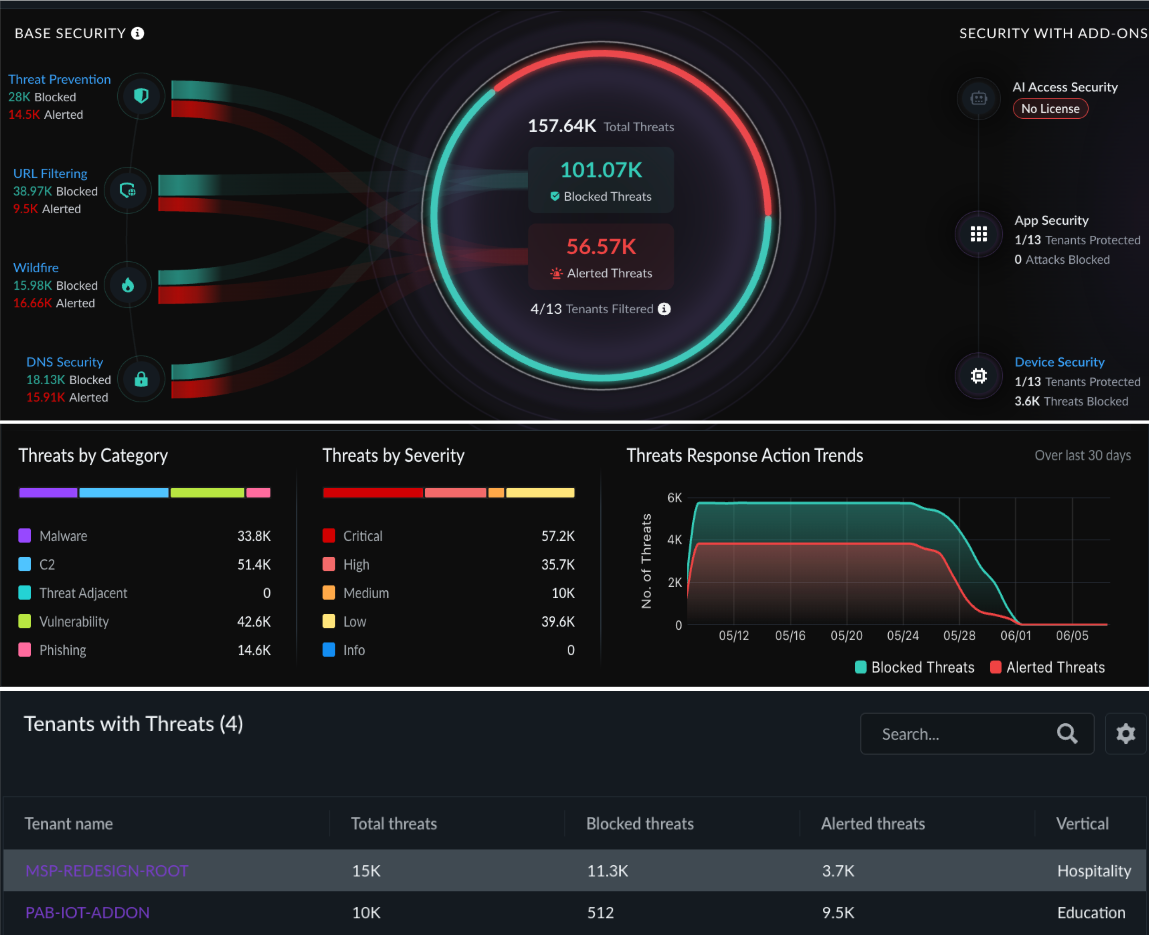
When you select Prisma Access as the scope, the Security view displays threat data categorized into base security services and add-on services.
When you select Prisma Access as the scope, the Security view displays threat data categorized into base security services and add-on services.
All metrics reflect threats and malicious activities detected and blocked across tenants within the selected time range.
Base Security
These services are included with your Prisma Access license and display data for
all filtered tenants:
| Widget | Description |
|---|---|
| Threat Prevention | Total threats detected and blocked across all filtered tenants. |
| URL Filtering | Total malicious URLs identified and blocked. |
| WildFire | Total malware samples detected and blocked through WildFire analysis. |
| DNS Security | Total DNS-based threats blocked. Hover over the widget to view the breakdown between Advanced DNS Security and Base DNS Security. Both are included by default with Prisma Access. |
The view aggregates these metrics across all Prisma Access tenants that fall
within the selected region. For example, if you select the Americas region and
three tenants have Prisma Access enabled in that region, the widgets display the
combined totals for those three tenants.
Add-on Security
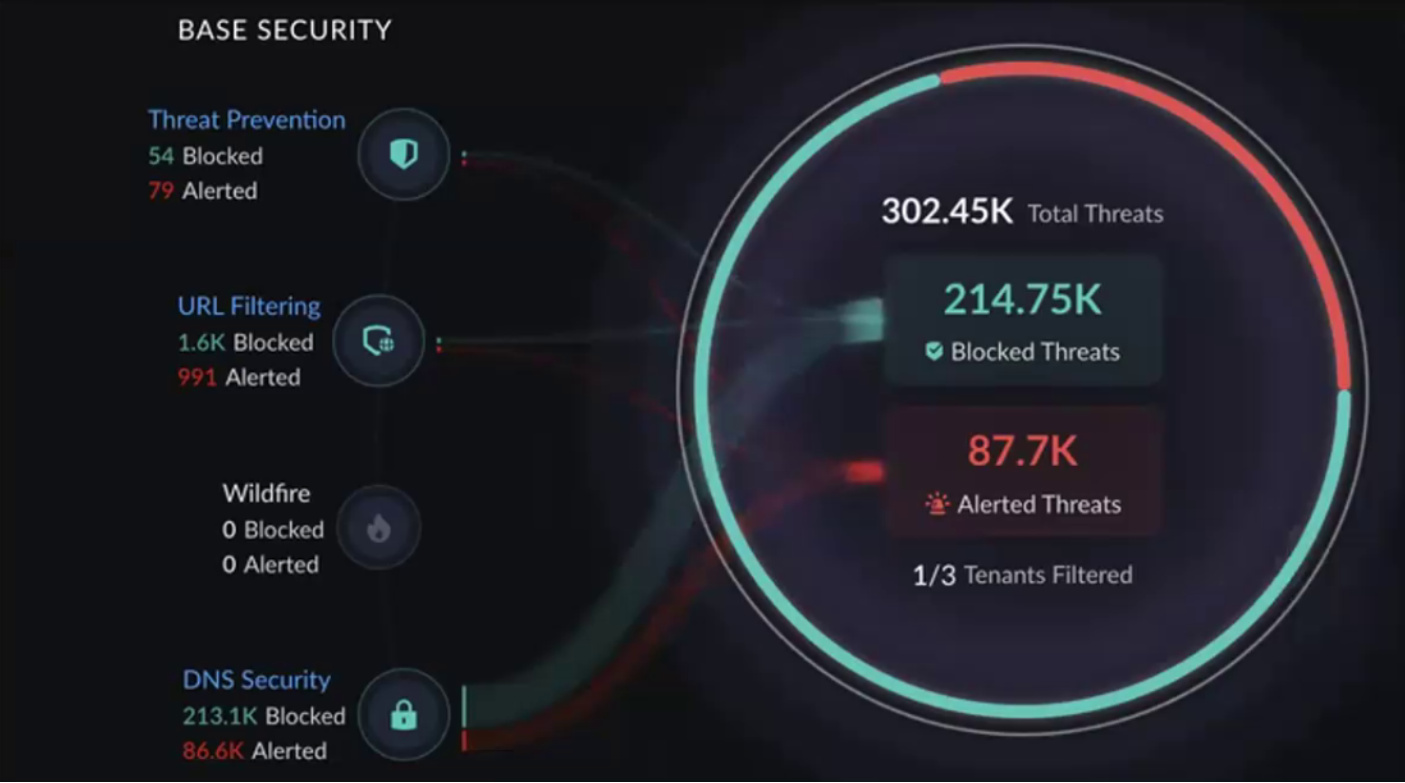
These services require additional licenses beyond the base Prisma Access subscription. The view displays the following add-on widgets:
| Widget | Description |
|---|---|
| AI Access Security | Threats related to AI-driven traffic that were detected and blocked. |
| App Security | Application-level threats identified and blocked. |
| Device Security | IoT device threats detected and blocked across filtered tenants. |
For each add-on widget, the view indicates how many of the filtered tenants have the add-on license activated. If none of the filtered tenants have a particular add-on license, the widget displays No License. This helps you identify tenants where you might want to activate additional security services.
The view distinguishes between "No License" (the add-on is not activated on any filtered tenant) and "No Data" (the license is active but no relevant security events were recorded during the selected time range).
Additional Security Metrics
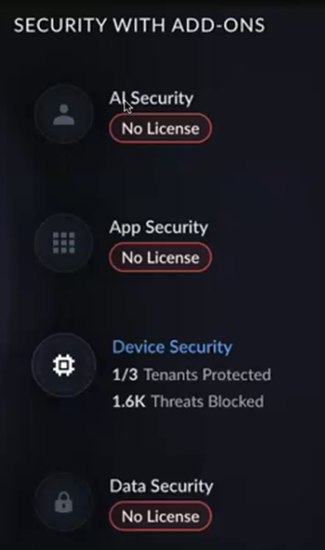
Below the main widgets, the Security view displays three additional panels:
| Panel | Description |
|---|---|
| Threats by Category | Breakdown of threats by type (Malware, C2, Threat Adjacent, Vulnerability, Phishing). |
| Threats by Severity | Distribution of threats across severity levels (Critical, High, Medium, Low, and Informational) showing relative volume for prioritization. |
| Threats Response Action Trends | Time series chart tracking blocked vs. non-blocked threat counts over the past 30 days, showing how the response action split changes over time. |

Tenant Table
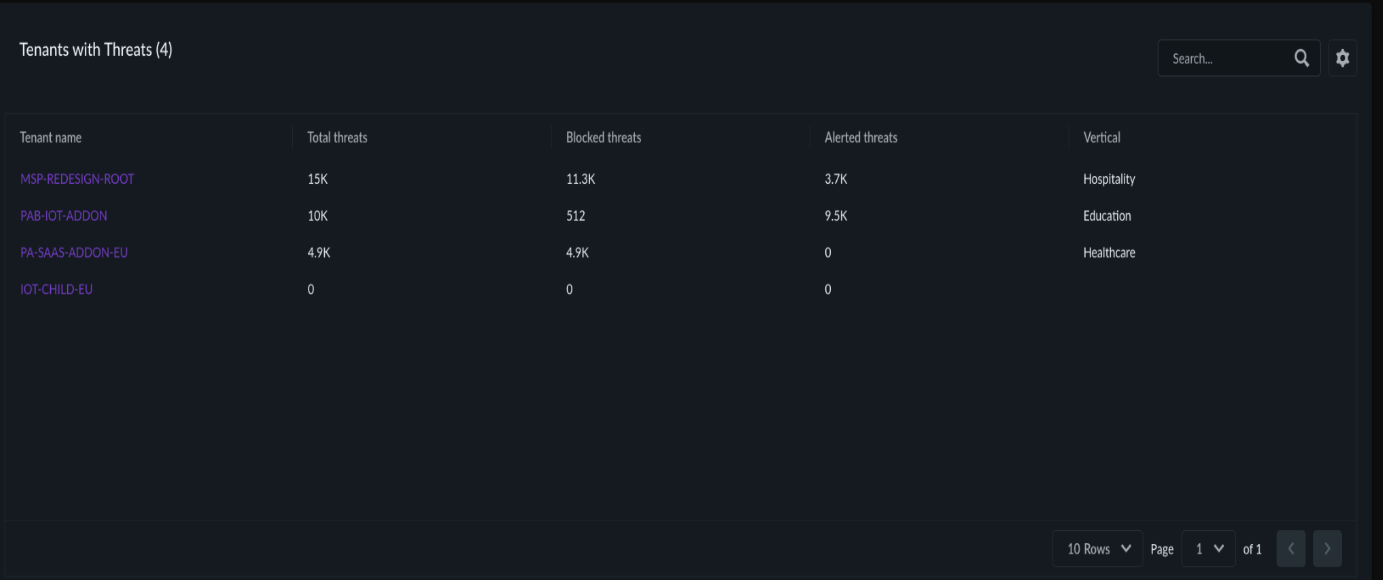
The tenant table for the Prisma Access security view lists each tenant with the following columns:
- Total Threats — Combined count of all threat events for the tenant
- Blocked Threats — Threats that were successfully blocked
- Alerted Threats — Threats that were detected but not blocked (alert-only)
- Vertical — The industry segment of the tenant
For tenants where threats were alerted but not blocked, you can investigate whether the security policy intentionally allows certain traffic (alert-only mode) or whether policy adjustments are needed. Click the tenant to navigate to the single-tenant view and review the relevant policies.