Assign and Push Bulk Config Snippets Through the Strata Multitenant Cloud Manager
Table of Contents

Assign and Push Bulk Config Snippets Through the Strata Multitenant Cloud Manager
Learn how to assign and push Bulk Config Snippets through the Strata Multitenant Cloud Manager
| Where Can I Use This? | What Do I Need? |
|---|---|
|
|
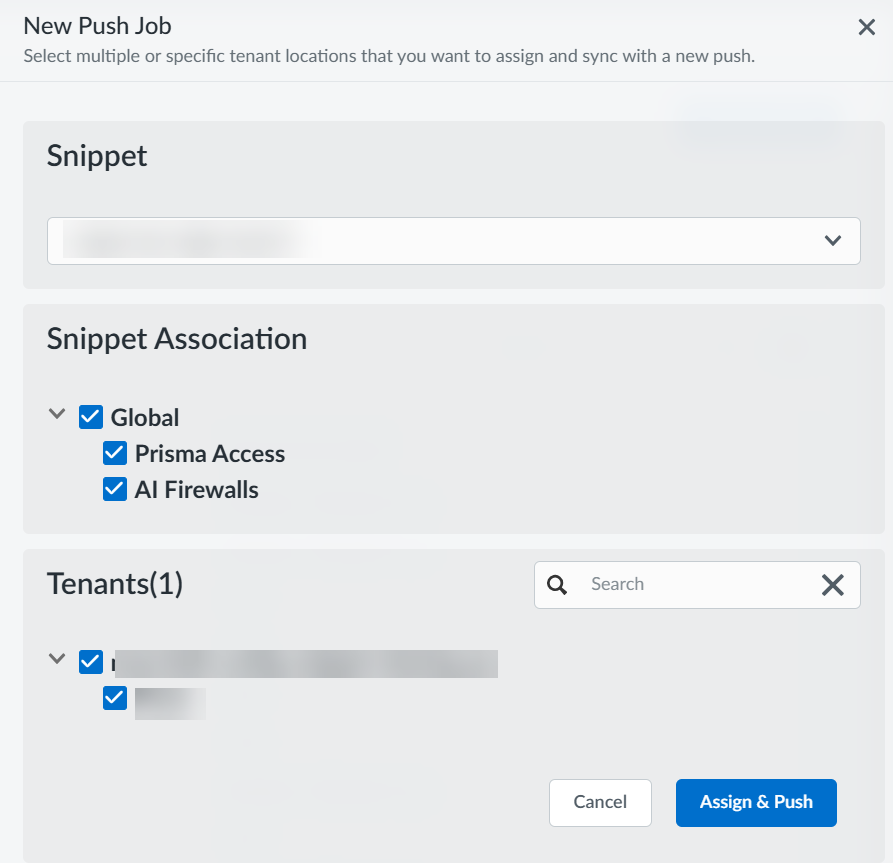
- Access the Strata Multitenant Cloud Manager, and select .Select Assign & Push.Select a Snippet from the drop-down.Associate the snippet with one or more folders (such as Global, Prisma Access, or All Firewalls) by selecting them in the Snippet Association option.Select one or more tenants in your hierarchy where you want to apply the config snippet.
![]() Assign & Push.
Assign & Push.